Find out why release notes are key for product managers, helping keep users in the loop on updates while building a closer connection between your team and your audience.
You shipped the fix last Tuesday. Nobody reacted, so you assumed it went fine. Then a ticket came in this morning from someone still complaining about the exact bug you closed five days ago. They never saw the release note. Or you never wrote one worth reading.
That gap is where most of the return on your work quietly disappears. Release notes are one of the few communication channels SaaS users actually opt into. That lasts right up until a run of vague, jargon-heavy updates teaches them to stop opening yours. This guide skips the theory. It's a short list of practices, the exact prompts you can use to apply them today, and real examples worth stealing from.
What are release notes?
Release notes are a summary of all changes made to the product after the launch. No software remains static, especially with team innovations and customer feedback. Release notes are instrumental in tracking these changes. It includes new features, any necessary bug fixes, and other improvements.
A release note is a technical document, often accompanying the unveiling of a new product or its update. It follows several channels, including emails, in-app notifications, and blog posts.
What a good release note should include
A changelog and a release note get used interchangeably, but they're not the same thing. A changelog is the full running history of every change your product has made. A release note is the curated, user-facing version of one update, the part your customers actually need right now.
Here's what belongs in one that does its job:
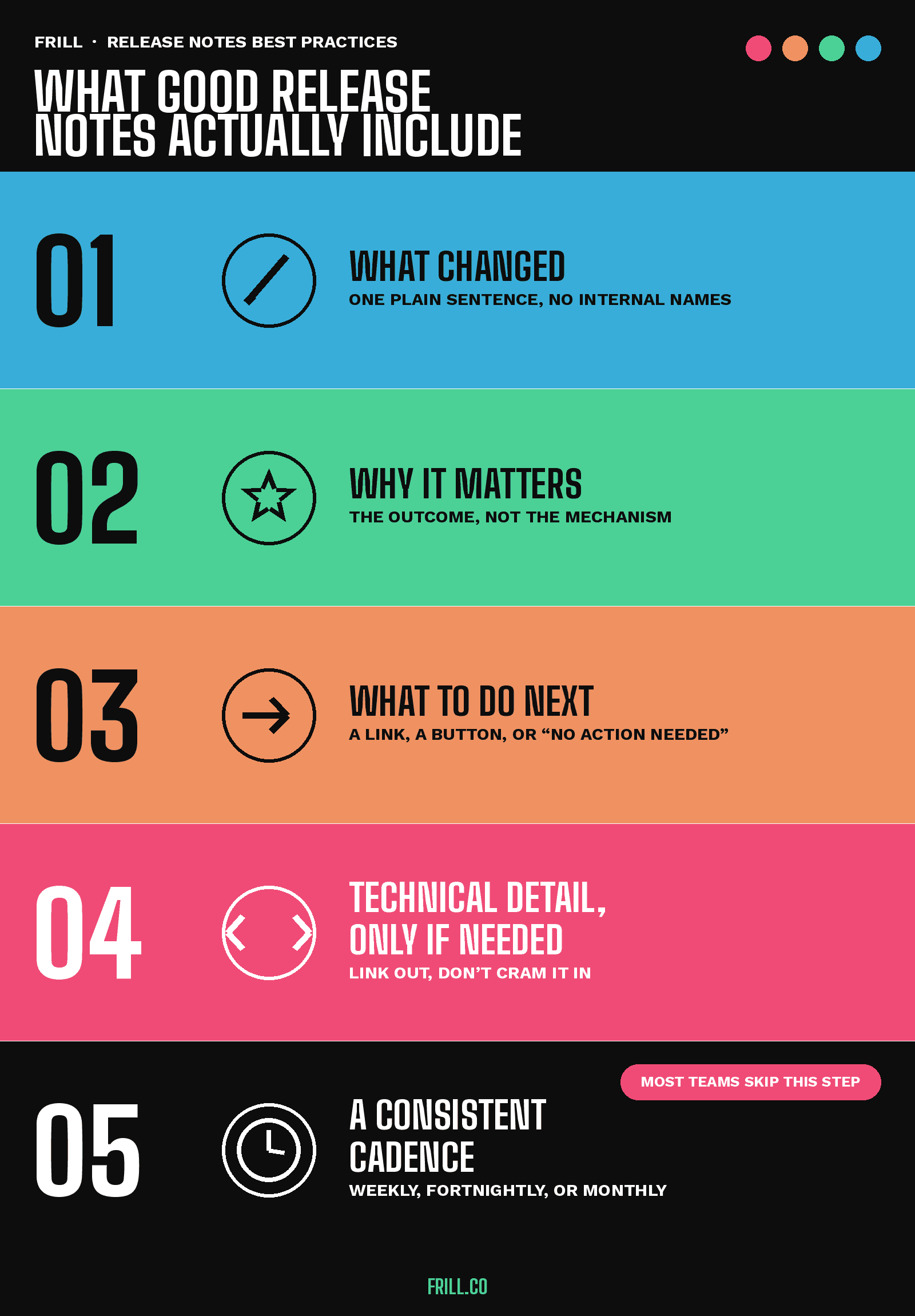
What changed. One plain sentence, free of internal feature names.
Why it matters. The outcome the user gets, not the mechanism.
What to do next. A link, a button, or a clear "no action needed."
Technical detail, only if needed. Link to full documentation instead of cramming it into the note.
A consistent cadence. Weekly, fortnightly, or monthly all work. Inconsistent doesn't.
79.3% of release notes across 1,000 GitHub projects document fixed issues. 55.1% document new features. Both figures come from an analysis of 32,425 real release notes.
Even on GitHub, a developer-first audience, what got fixed outweighs what's new.
At small teams, release note ownership usually lands with whoever sits closest to product management. As the team grows, that job tends to move to someone dedicated to how to write release notes people actually read.
Comparing dedicated software release notes tools instead of writing each one by hand? That comparison covers what to look for.
Release notes best practices you can actually use
In the 196 SaaS accounts I've written for, the release notes that get read are never the ones that explain how something was built. They're the ones that tell a user, in one sentence, what's different for them right now.
1. Lead with the outcome, not the mechanism
"Optimized SQL query execution plan" tells your user nothing. "Reports load faster" tells them everything. The mistake almost every team makes here is writing from the developer's mental model instead of the user's. That's simply the language closest at hand when a release ships.
Try this prompt: "Rewrite this internal change description in one sentence a non-technical customer would understand, focused on what they can now do that they couldn't before: [paste your internal note]."
2. Tie the update to real customer feedback
Linking a release note back to the idea that inspired it closes the loop and shows your roadmap is customer-driven, not decided in a vacuum.
"The most popular releases on our announcements board are almost always the ones we can tie back to a specific idea someone submitted. It's the fastest trust-builder we have." — Mike Hill, CEO and Co-founder, Frill
Try this prompt: "Write a two-sentence release note tying [feature] to user feedback: sentence one names what changed, sentence two says who asked for it or what problem it solves, without overselling."
3. Separate your audiences instead of writing one note for everyone
A note for a developer-facing API change should read nothing like the same change surfaced to an end user. Conflating the two is why so many release notes satisfy nobody. Pick one audience per note, or write two short entries instead of one trying to serve both. A developer wants the parameter that changed. An end user wants to know if anything they were doing yesterday still works the same way today.
4. Add visuals to make updates immediately clear
A screenshot, GIF, or short screen recording shows what changed faster than any paragraph can. This matters most for anything visual: a redesigned screen, a new setting, a UI shift, anything where the words "moved" or "new" would take a full sentence to place. If you can't show the change in five seconds, that's the sign you need a visual, not more explaining.
For example, when announcing our announcement reactions, we showed the reactions right in the header image (thumbs up, heart eyes, and fire).
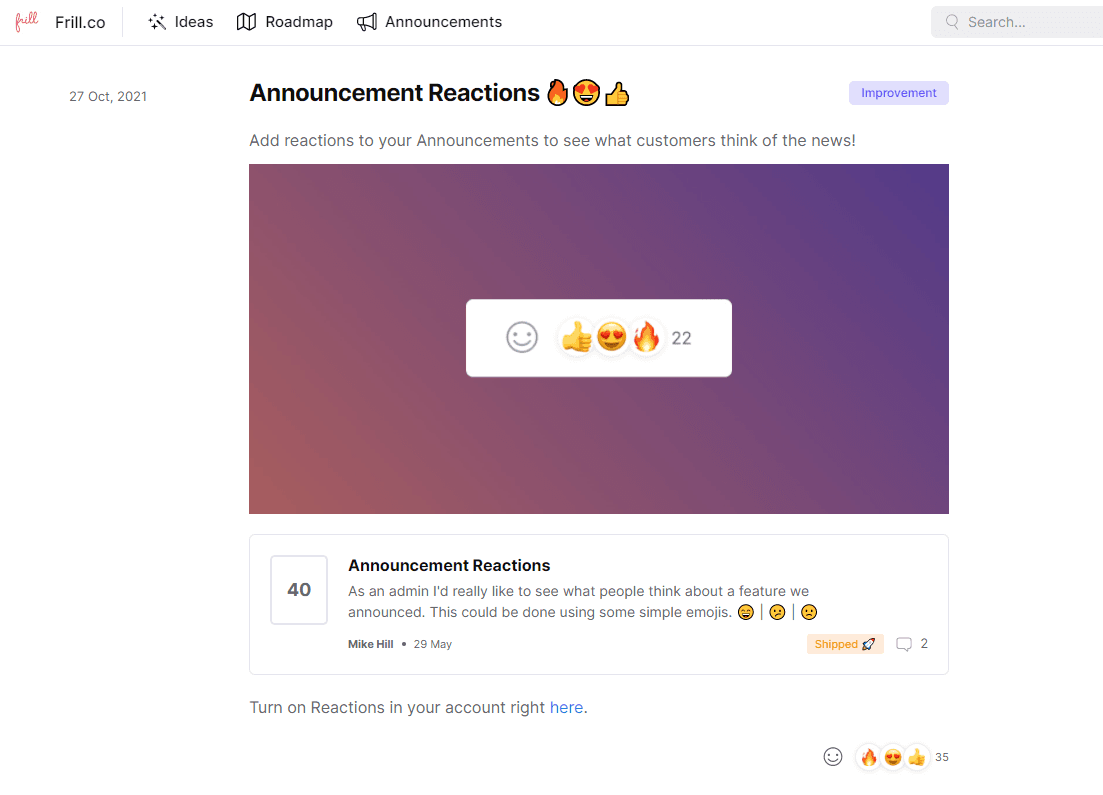
Try this prompt: "Describe the single visual (screenshot, GIF, or 10-second recording) that would show this change fastest, and the one detail it should highlight."
5. Give every entry a category tag
Tags like New, Improvement, and Fix let a reader skip straight to the category they care about. Stick to two to four tags. Over-tagging defeats the purpose just as much as skipping tags entirely.
Try this prompt: "Categorize this release into New, Improvement, or Fix, then write a five-word title that leads with the category's value, not the internal name of the feature."
6. Let reactions and views tell you what to cover next
Frill's built-in emoji reactions turn every release note into a feedback signal, not just a broadcast. Publish, then watch which entries pull a disproportionate response. That's the data telling you what to cover next, and how much detail to give it.
"We can tell within a day which releases actually landed just from the reactions. If something gets three times the usual response, that tells us more about what to build next than most of our roadmap votes do." — Elliott Risby, Co-founder, Design, Frill
7. Flag it clearly when an update is plan-gated
If a release is only available on a higher tier, say so in the note itself. Don't let a user find the limit by trying to use the feature and hitting a wall. Users forgive a paywall they were told about upfront far more than one they hit by surprise, and a plain callout here does double duty as a low-pressure upgrade nudge rather than a source of frustration.
Prompts you can copy for each practice
"Rewrite this internal change description in one sentence a non-technical customer would understand, focused on what they can now do that they couldn't before: [paste your internal note]"
"Write a two-sentence release note tying [feature] to user feedback: sentence one names what changed, sentence two says who asked for it or what problem it solves, without overselling."
"Categorize this release into New, Improvement, or Fix, then write a five-word title that leads with the category's value, not the internal name of the feature."
Great examples of release notes
These are my fave release notes examples.
Frill ties the update straight back to the request
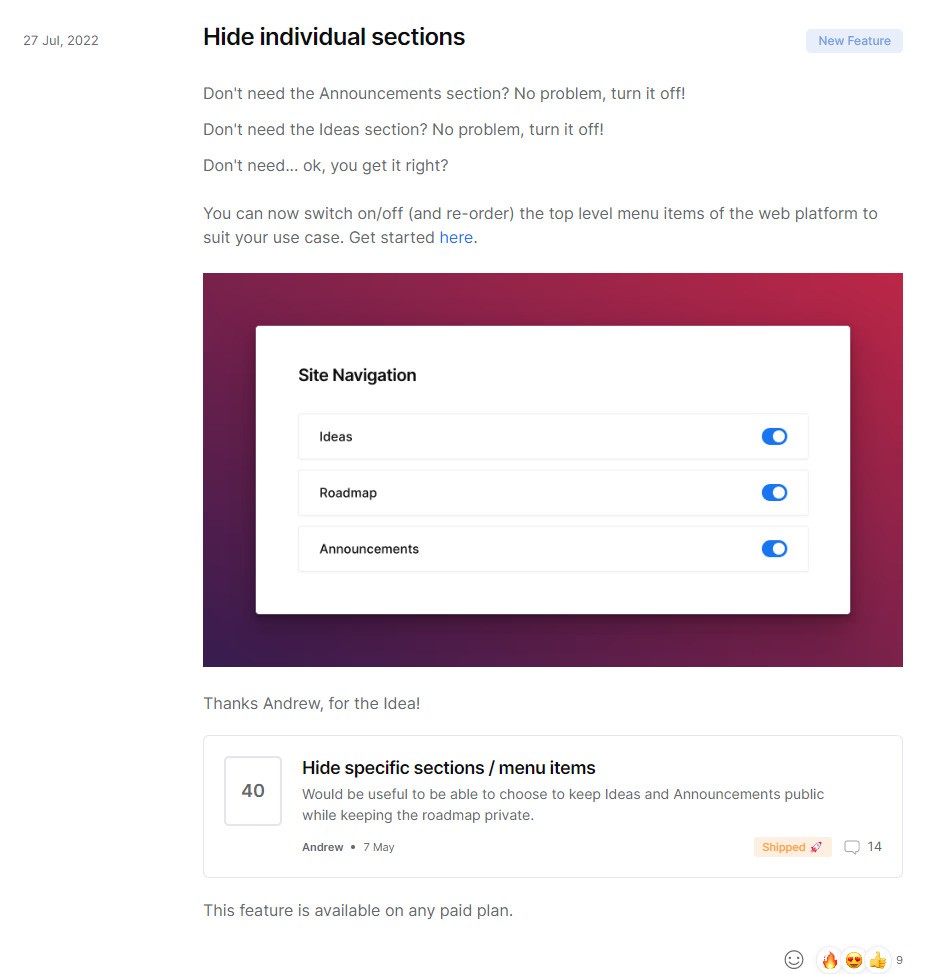
Our own release note announcing the ability to hide individual sections opens with a plain description of the feature, shows it in action, then closes by linking to the original user idea that asked for it. That last part is what makes it work: it tells the customer their input actually shaped the product, not just that a feature happened to ship.
ClickUp treats its changelog as a running, dated timeline
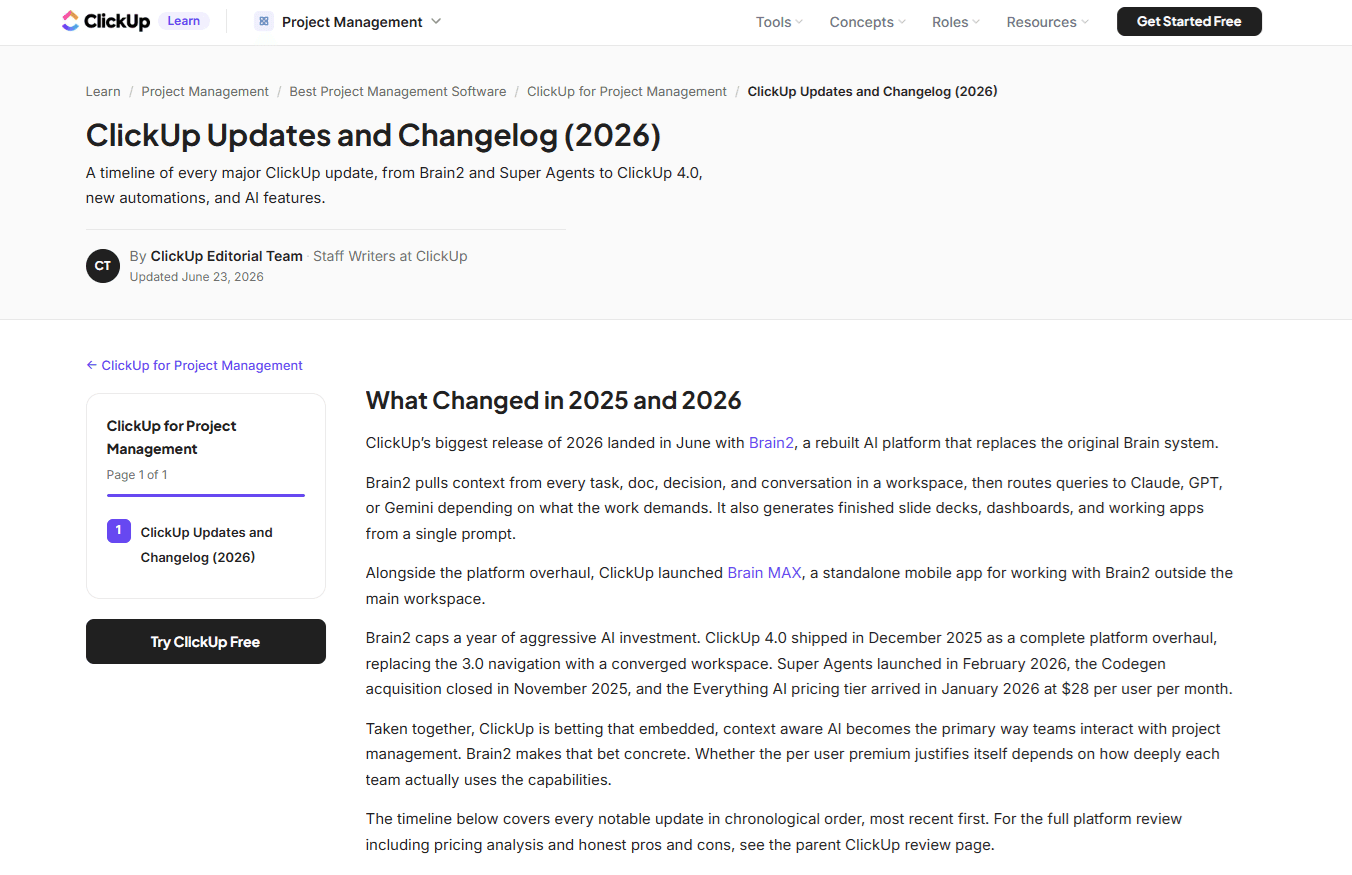
ClickUp's updates page lists every major release in reverse chronological order, most recent first, naming specific launches like Brain2 and ClickUp 4.0 rather than vague "improvements." Each entry is dated and explains what changed and why it matters, and the whole page links back to ClickUp's broader project management resource for anyone comparing tools. It's a changelog doing double duty: informing existing users and building a case for prospects who land on it mid-research.
Amplitude proves restraint is a feature
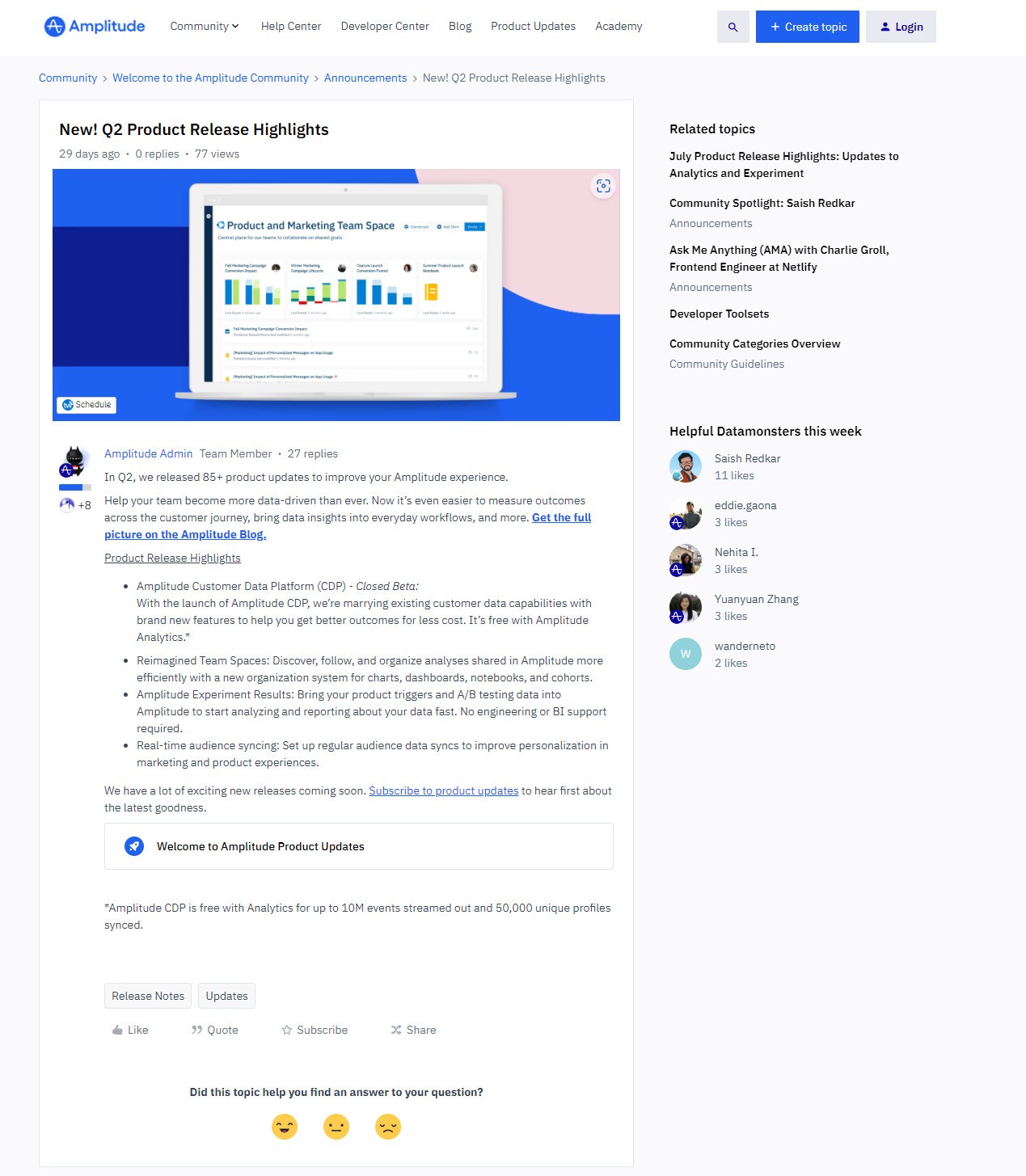
Amplitude's quarterly highlight reel stays under 200 words on purpose, because most users will never read a full changelog. The tight word count also forces discipline on the writer's end: if an update doesn't make the cut, it probably wasn't a highlight.
Chernobylite shows when a bug fix earns its own page

Most bug fixes belong in a round-up, but the developers behind this game gave one fix its own dedicated note because it had been blocking players from progressing entirely. That's the signal worth copying: a fix that stops someone from doing the thing they're paying for deserves to stand alone, not get buried under ten other minor tweaks.
For a longer list of formats to steal from, see our collection of changelog examples, or grab ready-made release notes templates if you'd rather start from a structure than a blank page.
How to share your release notes
The next step after creating a release note is to share it using the right channels. Several channels are available, like email newsletters, hosted pages, live-chat announcements, and release notes widgets.
Email newsletters are delivered directly to the customers' inboxes, which is more effective for an audience that continually uses their emails. Hosted pages are often displayed on the company's websites, but they can be attached to newsletters or linked to a FAQ page. Live chat announcements are convenient for reaching customers in real-time.
These channels and more can keep users informed about your progress. For more help, you can explore our tools for managing product announcements.
Wrap up: start writing release notes people read
Release notes double as a trust signal. Clarity that helps a user understand an update also makes a renewal easier to justify.
One early-stage SaaS client I worked with published quarterly, in a format nobody agreed on. After switching to a weekly cadence with a consistent what-changed, why-it-matters, what's-next structure, engagement roughly tripled within two months.
I've seen this pattern enough times to trust it: teams don't get better release notes by writing more. They get better release notes by writing the same three things, in the same order, every time.
See how Frill's Announcements tie release notes directly to the feedback that inspired them.
Release notes best practices FAQs
How long should a release note be?
As long as it takes to cover what changed, why it matters, and what to do next, and no longer. A single feature update can run under 100 words. A weekly round-up will naturally run longer, but pad it and people stop reading.
What's the difference between a release note and a changelog?
A changelog is the full, running history of every change your product has made. A release note is the curated, user-facing version tied to one specific update. It's written for people who don't need the whole history, just what's new to them.
How often should SaaS teams publish release notes?
Match your cadence to your ship rate. Teams releasing continuously do best with a weekly or monthly round-up. Teams shipping in larger batches are better served by one note per release. The one cadence to avoid is an inconsistent one, since it teaches users to stop checking.
Learn more about our announcements feature and sign up for a free trial.

Dayana Mayfield
Dayana Mayfield is a B2B SaaS copywriter who believes in the power of content marketing and a good smoothie. She lives in Northern California.