Knowing how to organize customer feedback is as important as obtaining it. Learn the staples and methods to get the most out of yours.
Ok, so you’ve taken the first step by collecting feedback from your customers.
Most product teams have an organization problem, not a feedback problem.
Users are more than happy to tell you what they really think.
The hard part is organizing all of the suggestions and complaints.
At Frill, we’ve seen hundreds of product teams invest real effort into collecting customer feedback, then let it pile up in a spreadsheet, a Notion doc, or a shared inbox that nobody owns. Six months later, they’re building from gut instinct, not because they lacked feedback, but because they never had a system to make sense of it.
The collection part is actually the easy bit. Most teams crack that quickly. What separates product teams that ship what users actually want from those that don’t is what happens after the feedback comes in — how it’s organized, who owns it, and whether it ever connects to a decision.
Disorganized feedback doesn’t just slow you down. It actively erodes trust. Users who took the time to share a pain point, request a feature, or flag a bug expect to see evidence that someone listened. When feedback disappears into a black hole, they notice, and they stop interacting.
This guide covers exactly how to fix that: nine actionable steps for building a feedback organization system that turns raw input into clear priorities, and keeps your users in the loop while you build.
Why is organizing customer feedback so important?
In my experience, the teams that struggle most with product direction have too much feedback and no system to make sense of it. Organizing and categorizing feedback is what separates signal from noise. Without structure, valuable insights get overlooked, decisions get made on gut instinct, and the customers who took the time to share their thoughts never see any evidence that someone listened.
Here’s what a solid feedback organization system actually delivers:
Identifying trends and patterns before they become problems
Streamlining decision-making with data you can point to
Aligning teams across the business around shared priorities
Improving customer satisfaction by acting on what users actually need
Driving product and service innovation grounded in real demand
Tracking progress and impact over time so you can show what changed and why
The pivotal role of feedback in SaaS startups
In the hyper-competitive SaaS environment, feedback helps you survive. Companies that integrate feature requests, public roadmapping, and rapid iteration into their core operations position themselves not only to meet user expectations but to exceed them. For startups, this isn’t optional; it’s the standard that customers demand.
The SaaS landscape thrives on adaptability, and continuous feedback loops have become a requirement for success. If you’re still not convinced here’s a more detailed breakdown of why:
Feature requests fuel product evolution - Customers expect to be heard. Feature requests are a direct line to understanding what users want, need, and expect.
Public roadmapping builds transparency and trust - Having a public roadmap has become the expected norm. It signals that you’re listening, that user voices matter, and that there’s a clear plan for growth.

Feature launches reflect customer-centricity - Launching features that directly address user needs demonstrates that your startup is not only innovative but also deeply customer-focused.
Feedback loops drive continuous improvement - SaaS startups that embrace continuous feedback loops—collecting, analyzing, and implementing feedback on an ongoing basis—are better positioned to adapt to market shifts and outpace competitors.
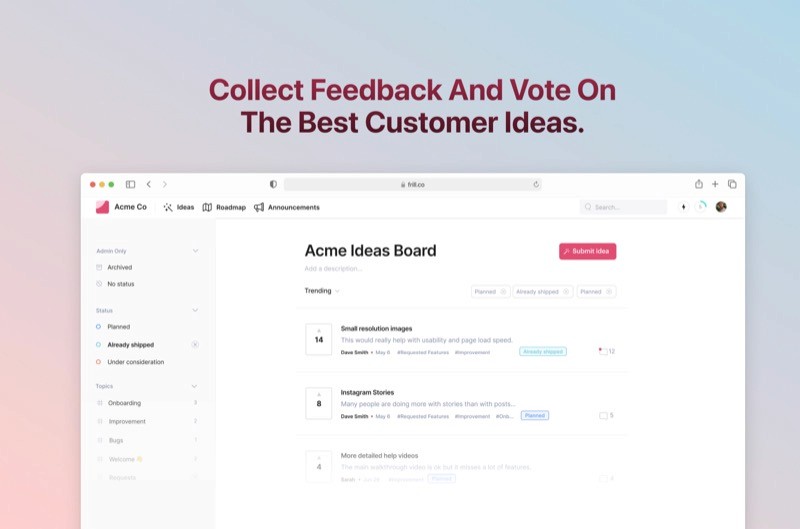
9 steps for effective customer feedback organization
Now that we have established the importance of having organized feedback, let’s dive into the steps for success. And, don’t forget that there are plenty of great feedback tools to help you with this.
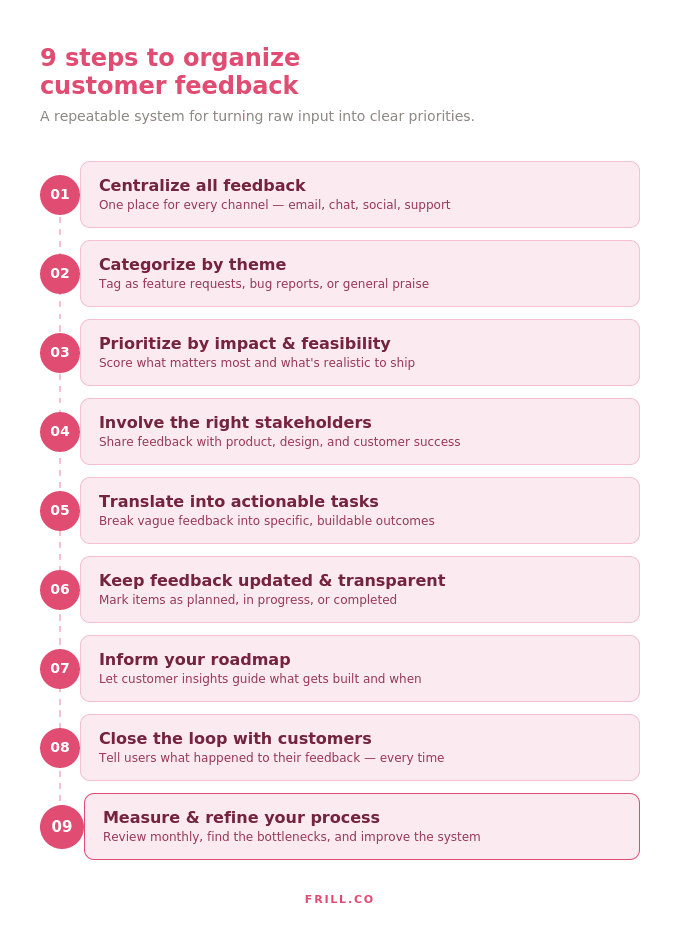
1. Centralize all feedback in one place
Gather feedback from all channels—email, SMS surveys, social media, customer support, and live chats—into a single location. Centralized feedback collection ensures nothing falls through the cracks and simplifies the organization process.
2. Categorize feedback by themes
Group similar feedback into categories or tags based upon the type of feedback it is. These can be feature requests, bug reports, usability issues, or praise. This organization makes it easier to identify patterns and trends, and establish priorities.
3. Prioritize based on impact and feasibility
Use a systematic approach to assess the importance of feedback. Rank items based on their potential impact on your customers and how feasible they are to implement.
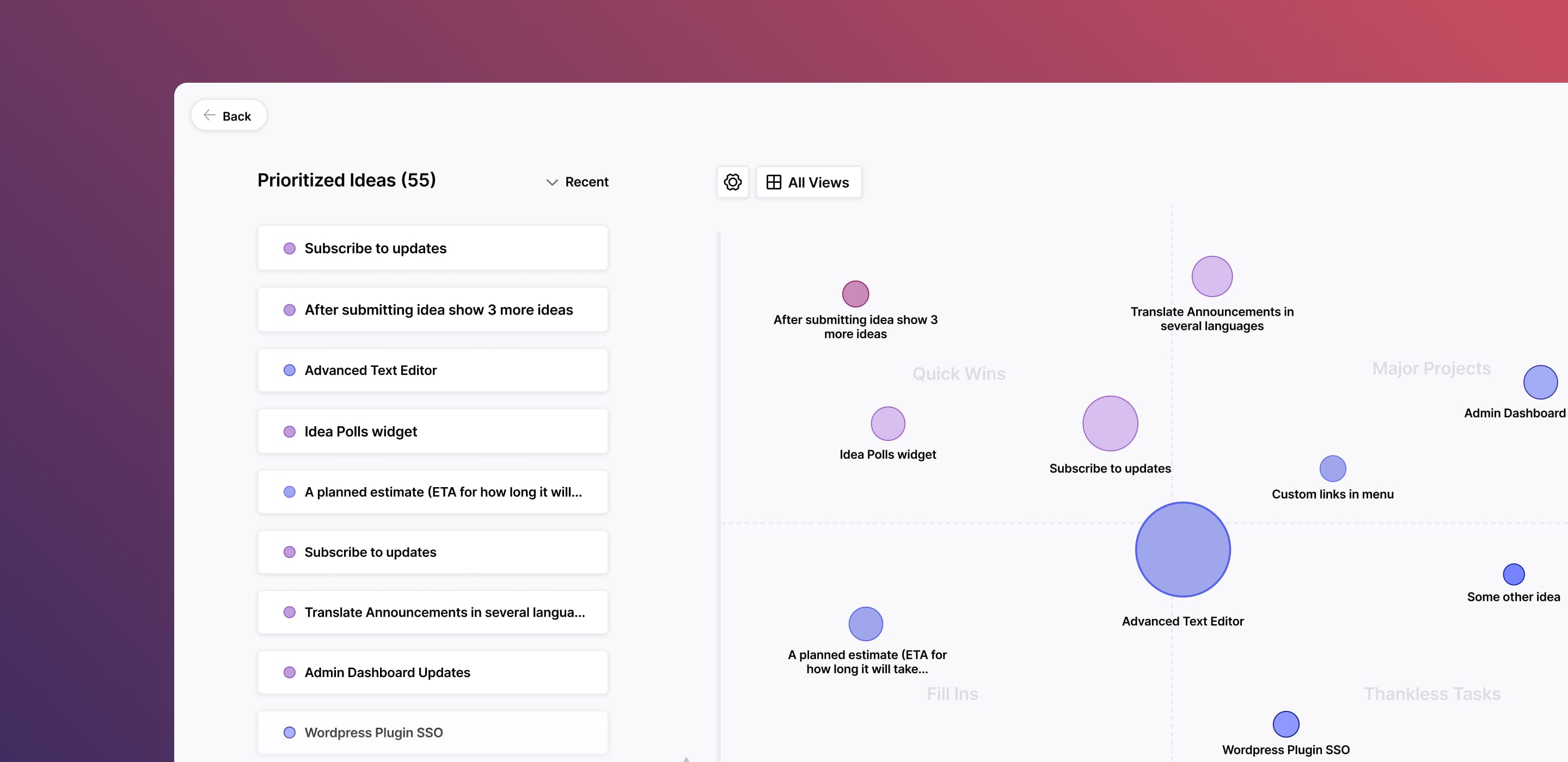
One effective method is a feature prioritization matrix. Here, all your feedback is organized based on a set of key metrics and visually displayed for easy identification.
4. Involve the right stakeholders
Share organized feedback with relevant teams—product, design, marketing, or customer success. Clear ownership is essential for transforming the feedback into actionable insights that align with your business goals.
Stakeholder involvement with the organized feedback also plays into developing a clear product vision that can inspire and engage.
5. Translate feedback into actionable insights
Break down feedback into specific, actionable tasks or objectives. For example, instead of “Improve onboarding,” identify exact pain points to address, such as “Add a progress tracker to onboarding steps,” or use aspeech to text app to quickly convert verbal user interviews into written feedback for analysis.
6. Keep feedback updated and transparent
Regularly review and update the status of feedback—marking items as planned, in progress, or completed. Transparency builds trust with your customers and keeps your internal teams aligned.
This regular review is also a great time to implement your ranking metrics to the feedback so it is ready to join the masses in your prioritization matrix.
7. Leverage feedback to inform your roadmap
Use customer insights to guide product development and prioritize roadmap features. Including feature voting is a great way to leverage your feedback as well. This allows your users to vote and comment on suggestions from others which results in a compound effect and simplifies your organization requirements.

8. Close the loop with customers
Always acknowledge customer feedback and let them know how their input was used. Whether the feedback was implemented, planned, or deemed not feasible, closing the loop strengthens your customer relationships.
And, yes it is ok to tell them you are not using their feedback. Just be polite about it and if you can provide a reason why.
9. Measure and refine your process
Evaluate how well your feedback organization process works and adapt as needed. Regularly check for bottlenecks, missed insights, or opportunities to improve efficiency.
Make sure you schedule this review time into your calendar. The frequency really depends on the amount of feedback you get. Try monthly and then adjust from there.
5 organization methods for customer feedback analysis
I’ve worked with enough product teams to know that the steps above will get you organized, but the method you use to analyze that feedback is what turns raw data into decisions you can actually defend.
The right approach depends on your team’s size, the volume of feedback you’re handling, and how closely your feedback process ties into your roadmap. Here are the five methods I recommend most consistently, and when to reach for each one.
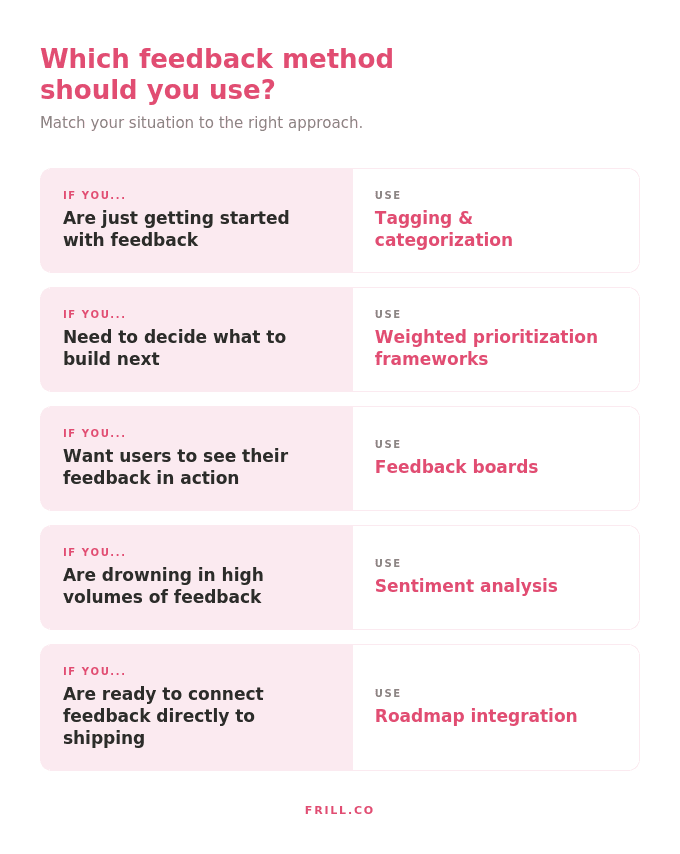
1. Tagging and categorization
Assign tags or categories to every piece of feedback to group similar themes. For example, you can tag feedback as “feature request,” “bug report,” or “general praise.” This makes it easy to filter and analyze specific types of input. The key is consistency — agree on your tag taxonomy before you start, and stick to it. A feedback set with 40 different tags is nearly as useless as one with none. I recommend starting with no more than six to eight tags and only adding new ones when something genuinely doesn’t fit.
2. Feedback boards
Use a centralized board or kanban-style system to track feedback throughout its lifecycle. Create columns such as “New feedback,” “Under review,” “In progress,” and “Completed” for visual clarity and seamless tracking. The board format works because it makes the status of every piece of feedback visible at a glance — for your team and, if you choose to make it public, for your users. In Frill, your feedback board and your roadmap live in the same place, so moving an item from “under review” to “planned” automatically reflects on your public roadmap. That single connection closes a loop that most teams handle manually, if at all.
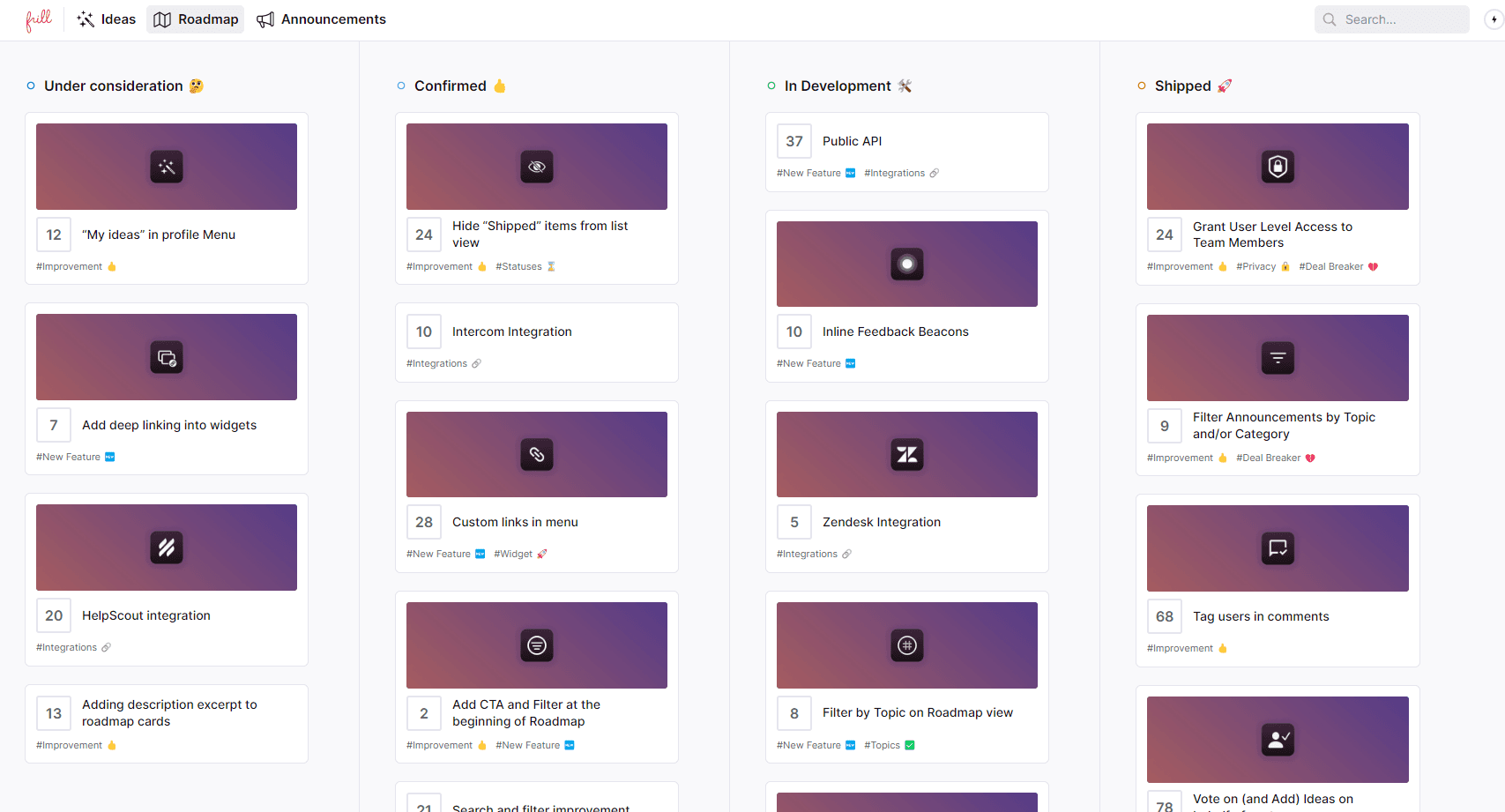
In Frill, your feedback board and your roadmap live in the same place, so moving an item from “under review” to “planned” automatically reflects on your public roadmap. That single connection closes a loop that most teams handle manually, if at all.
3. Weighted prioritization frameworks
Adopt a scoring system, such as the RICE (reach, impact, confidence, effort) or MoSCoW (must have, should have, could have, won’t have) frameworks, to objectively evaluate feedback and determine its importance.
With Frill, setting up your prioritization framework is simple and straightforward. The process is divided into benefit and cost factors where you can add any number of different sub-factors you want to consider, give them individual weights, and then directly assign priority values to feedback items on the board.
4. Sentiment analysis
Incorporate sentiment tagging to distinguish between positive, neutral, and negative feedback. Even without dedicated software, a simple three-tier tag applied consistently across your feedback board tells you more than raw volume ever will. That way, teams can quickly address critical issues or celebrate wins highlighted by customers. Where sentiment analysis earns its place is in volume—when you’re processing hundreds of responses, manually reading for tone doesn’t scale.
Even a basic positive/neutral/negative tag lets you triage fast: negative feedback with high recurrence is almost always where your next priority lives. As your feedback grows, tools that apply sentiment tagging automatically become worth the investment. The time saved on manual review compounds quickly at scale.
5. Integration with product roadmaps
Tie organized feedback directly into your product roadmap or backlog. This makes sure that valuable insights inform decision-making and maintain alignment between feedback collection and action.
The teams I’ve seen do this well treat the roadmap as a living document, not a quarterly slideshow. Feedback flows in continuously, priorities shift as new data arrives, and users can see where their input landed. In Frill, feedback items link directly to roadmap stages, so there’s no translation layer between what users asked for and what you’ve committed to building. That transparency is what turns one-time feedback submitters into long-term, engaged users.
Frequently asked questions (FAQ)
1. How do I collect customer feedback?
You can collect customer feedback using surveys, feedback forms, email outreach, live chat, social media, and in-app tools. Be consistent across channels and make it easy for customers to share their thoughts with clear prompts and user-friendly interfaces.
2. What types of customer feedback are there?
Common types include feature requests, bug reports, usability feedback, satisfaction ratings, testimonials, and complaints. Feedback can be categorized as qualitative (descriptive insights) or quantitative (numerical data like ratings or scores).
3. Which types of customer feedback strategies are best for my business?
The best strategies depend on your goals and audience. Use surveys for quantitative insights, interviews for deep qualitative feedback, or in-app prompts for feature-specific feedback. Test multiple strategies to see what resonates with your customers.
4. How do I organize the customer feedback I’ve collected?
Organize user feedback by tagging or categorizing it by themes, such as product issues or feature requests. Use tools that centralize data and provide filters, enabling you to analyze trends and make data-driven decisions.
5. What is the best way for prioritizing feedback I’ve collected?
Use prioritization frameworks like RICE (reach, impact, confidence, effort) or MoSCoW (must have, should have, could have, won’t have) to evaluate feedback objectively. Focus on ideas that bring high value to your customers and align with your business goals.
6. Is there a way to centralize feedback collection?
Yes, you can use customer feedback platforms, CRM systems, or product management tools to centralize feedback from multiple channels. This ensures all feedback is stored in one place for easy access, analysis, and action.
7. What is a customer feedback loop?
A customer feedback loop involves collecting, analyzing, and acting on customer feedback, then communicating the outcomes back to customers. It’s a continuous process that builds trust, improves products, and fosters stronger customer relationships.
Ready to start organizing your feedback and make your customers happy? Track, organize, and prioritize customer feedback and feature requests with Frill.

Dayana Mayfield
Dayana Mayfield is a B2B SaaS copywriter who believes in the power of content marketing and a good smoothie. She lives in Northern California.