Managing customer feedback in SaaS takes more than collecting it. Here's a 5-step system for organizing, prioritizing, and closing the loop.
You have more customer feedback than you know what to do with. It's sitting in your support inbox, scattered across two Slack channels, buried in a spreadsheet nobody's opened since last quarter. Every one of those places holds a piece of the same picture, and none of them talk to each other. That's not a collection problem. It's a system problem.
Only 34% of product teams regularly collect customer insights and use them to guide prioritization, according to Product-Led Alliance's 2026 State of Product Management report.
The other two-thirds are stuck partway through the same five steps: centralizing, asking in the right place, closing the loop, prioritizing, and organizing. You've probably got the first four half-right already and never touched the fifth. Organizing what you've already collected, tagging it consistently so patterns actually surface, is the step almost every guide on this topic skips entirely. This one doesn't.
Why feedback management breaks down for growing SaaS teams
Feedback management breaks down for one blunt reason: it comes from too many places for any one person to hold in their head.
Email, social mentions, help desk tickets, blog comments, survey responses, third-party reviews. Each one says a slightly different version of the same thing. Collecting from any single channel is the easy part. Making them add up to something is where teams get stuck.
That's why closing the feedback loop, the process of turning what customers say into decisions you actually act on, is where you're most likely to get stuck. You've got feedback coming out of your ears and no process for collating it, categorizing it, or sifting through it for what's worth building.
In the 196 SaaS accounts I've written for, the teams treating feedback as a system are the ones that ship what customers want. A wishlist doesn't do that. The ones stuck in reactive mode are almost never short on input. They're short on a place to put it.
A practical system for managing SaaS customer feedback
Five steps make up a working system, not a channel checklist. You're likely already attempting the first four in some form. The fifth, organizing what you've collected, is different. It's the one that separates a team drowning in requests from one that can actually see what its customers are telling it.

Centralize your feedback before you do anything else
Centralizing sounds simple until you try it. It's common for a growing SaaS team to have feedback split across a support inbox, two Slack channels, and a spreadsheet nobody remembers to update. None of those tools ever talk to each other. Ask "what are customers actually asking for" and the honest answer is nobody knows, because no single person has seen all of it.
You don't need to monitor every channel that exists. You need to pick a deliberate balance and commit to it:
Unsolicited feedback: shared at the customer's own initiative, usually on social media, over email, or mid support conversation.
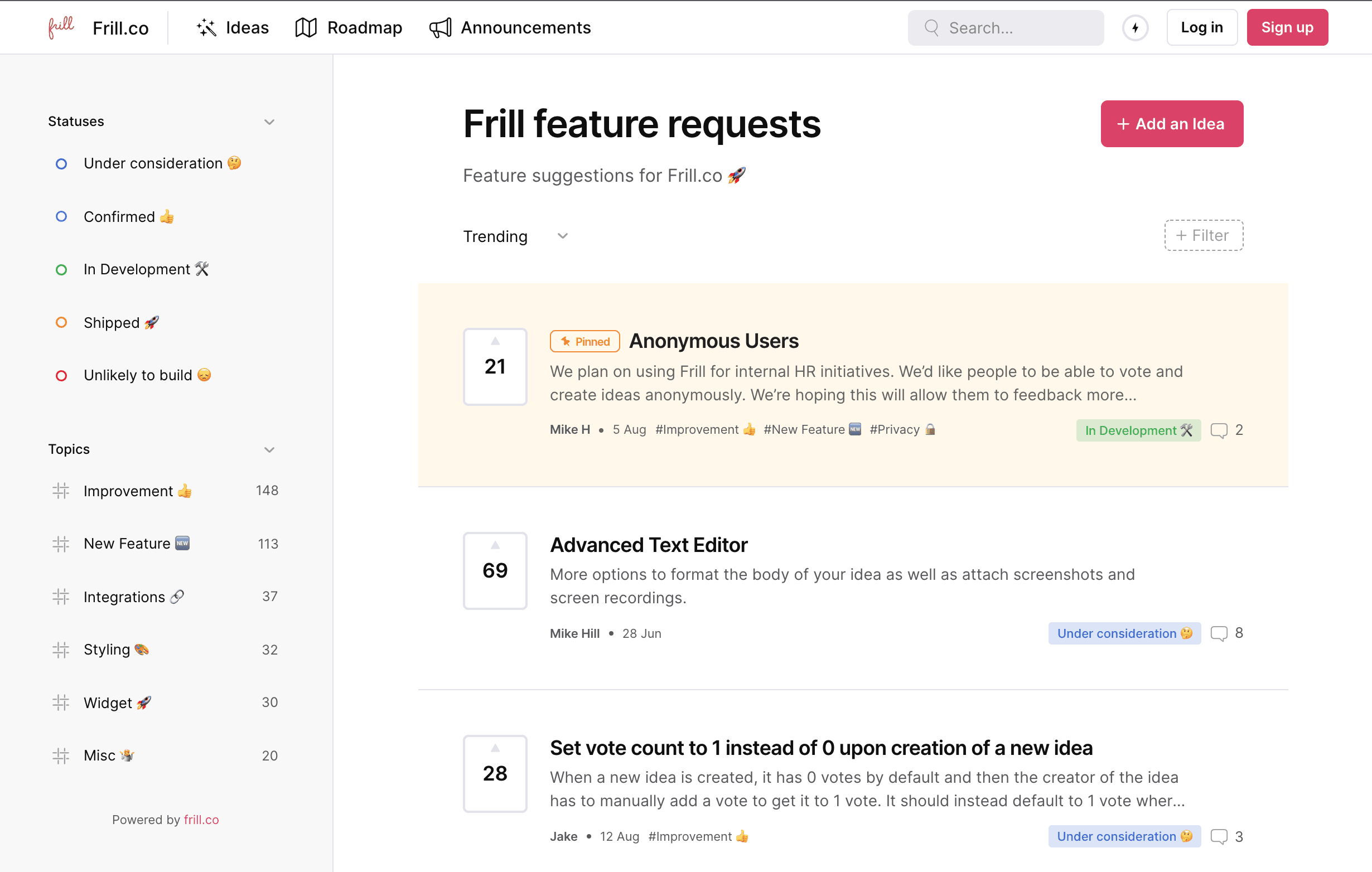
Solicited feedback: gathered on your terms, through an idea board customers can submit to, vote on, and comment on directly.
With Frill, your customers are the ones who categorize and prioritize feedback and ideas. That means a lot of the sifting and sorting is done for you – and good ideas naturally float to the top of the pile.

Ask for feedback where customers already are
Timing decides whether a feedback request gets answered or ignored. Ask right after a customer finishes a workflow, not the moment they log in. You catch them while the experience is still fresh in their mind. Ask a week later, in a generic email blast, and you're competing with everything else in their inbox for a memory that's already faded.
In-app, contextual feedback beats a generic email because it shows up exactly where the friction happened. A pop-up linked straight to your idea board, triggered right after a customer hits a snag, takes one click for them. It hands you context an email survey never captures.

Without that outlet, a frustrated customer usually doesn't complain. They just leave quietly, and you never find out why. The cost of not asking shows up as churn you can't explain, not as a support ticket you can act on.
With Frill, you can easily create a feature request widget that links to your main idea board.
Close the loop when you ship what they asked for
Customers want proof you're listening, not just another form to fill out. That proof comes from closing the loop: telling people, explicitly, when something they asked for actually ships.
"We noticed early on that the teams with the highest submission rates weren't the ones with the most users. They were the ones who visibly acted on feedback. When customers see their idea move from 'submitted' to 'shipped,' they become invested in the product in a way that no onboarding flow can manufacture." — Elliott Risby, Co-founder, Frill
The stakes are probably higher than you're assuming. 85% of CX leaders say a single unresolved issue is enough to lose a customer.
Silence after a submission is what erodes trust, not the request going unbuilt. Frill's Announcements feature exists for exactly this: publish an update, tie it back to the original idea, and notify everyone who voted on it automatically. Pair it with a public roadmap so customers can see where their idea sits before it ships, not only after.
Prioritize feedback against your product strategy, not volume
Loud isn't the same as representative. The customers who escalate the most, comment on every thread, and show up on every call aren't always representative. Your product shouldn't be built around them by default.
When I audit a SaaS company's feedback process, the gap is almost never collection. It's what happens between "we heard you" and "we actually built it."
Run every request through the same four questions before it earns a spot on your roadmap:
Does it fit the product vision? If it doesn't move your product where you're actually taking it, it's a distraction dressed up as a request.
Does it serve most users, not a handful? One account asking rarely justifies the same priority as a request echoed across dozens.
How often is it actually requested? Frequency across different customers is a stronger signal than intensity from any single one.
Does it deepen value you already offer? Requests that extend what's already working are usually safer bets than entirely new directions.
Frill's Priority Matrix and the full prioritization framework breakdown go deeper into scoring methods like RICE and Kano if you want to formalize this further.
Organize and tag feedback so patterns surface
A pile of centralized feedback isn't the same as an organized one. You can have everything in one place and still have no idea what it's telling you.
Start with four tags and resist the urge to make it more complicated than it needs to be:
Bugs: anything breaking the experience or blocking core functionality.
Feature requests: new capabilities customers are actively asking for.
Usability issues: friction that slows people down without fully breaking anything.
Performance concerns: speed, reliability, and responsiveness problems.
One SaaS founder I worked with was collecting feedback across five places at once: a shared inbox, two Slack channels, a spreadsheet, and sticky notes from sales calls. Nobody owned the sorting. Once everything moved into one tagged system, the pattern showed up fast. Nearly a third of their "new" feature requests were duplicates already sitting untouched in the backlog.
Tag consistently and patterns surface on their own. Frill's guide to organizing feedback has the full nine-step system if four tags stop being enough.
Better feedback management builds a better product
Five steps make up one system. Centralize what's coming in. Ask for it in the right place. Close the loop when you act on it. Prioritize against your actual product strategy. Organize it so the next pattern doesn't hide in plain sight.
None of these work in isolation. Skip organizing and prioritization turns into guesswork. Skip closing the loop and customers stop bothering to submit anything at all.
Better feedback management doesn't just make your backlog tidier. It changes what gets built, and how many of the customers who asked for it stick around to see it ship.
Ready to put all five steps in one place? See how Frill brings feedback, roadmaps, and announcements together.
Customer feedback SaaS FAQs
How is customer feedback management different for SaaS than for other industries?
SaaS feedback never stops the way a one-time purchase review does. You're managing an ongoing relationship where the same customer submits ideas, reports bugs, and reacts to releases every month they stay subscribed. Your system has to handle recurring input from repeat customers, not a single post-purchase survey.
How often should a SaaS team revisit and re-prioritize its feedback backlog?
Revisit your backlog every sprint or release cycle, whichever is shorter. Waiting longer lets stale requests pile up next to genuinely urgent ones, and you lose the ability to tell them apart. A quick pass each cycle keeps your prioritization criteria honest instead of defaulting to whatever's loudest that week.
What's the actual difference between organizing feedback and prioritizing it?
Organizing is how you make patterns visible: tagging requests so 30 similar complaints show up as one theme instead of 30 separate tickets. Prioritizing is what you do once those patterns are visible, deciding which theme actually earns a spot on your roadmap. Skip organizing and you're prioritizing guesses, not patterns.
Who should own customer feedback management on a small SaaS team without a dedicated ops role?
Give it to whoever already talks to customers most, usually a product manager or a founder on early-stage teams. Ownership matters more than title. Someone needs to be accountable for tagging, responding, and closing the loop, or feedback quietly becomes everyone's job and no one's priority.

Mike Hill
Mike Hill is a Co-Founder @ Frill.co