NPS Survey Analysis: Turn Your Results Into Product Decisions
Last updated on Wed May 27 2026
The first time I ran an NPS survey for a SaaS product, I spent two hours calculating the score, sent it to the team in Slack, and then… nothing happened. The number sat there. Someone reacted with a thumbs-up emoji. We moved on.
That's the dirty secret of most NPS programs: the survey gets sent, the score gets calculated, and then it quietly dies in a spreadsheet while the team convinces itself that data collection counts as insight.
NPS is one of the most widely used loyalty metrics in SaaS for good reason. It's fast, it's comparable, and when used well, it's genuinely predictive. But the score is a lagging indicator. By the time it moves, the underlying problem has usually been brewing for months. The value is in the three layers beneath it: the score itself, the driver responses that explain what influenced it, and the verbatim comments where customers tell you exactly what's wrong. This guide covers all three, with a clear "what to do next" for each stage.
Why most teams do NPS survey analysis halfway
NPS survey analysis is the ongoing process of extracting actionable insight from three data points: the score, the driver responses that explain it, and the open-text comments that add context. Most teams stop at the score. That's the conflation worth fixing.
Fred Reichheld introduced NPS in a 2003 Harvard Business Review article called "The One Number You Need to Grow." The formula is simple enough to calculate in seconds.
% promoters minus % detractors
But the article's actual argument was about building a feedback system that drives action, not about tracking a number. Most teams adopted the metric and quietly skipped that part.
The score tells you something changed. The drivers tell you what category it falls into. The verbatim tells you why, in the customer's own words. Each layer is more specific and more actionable than the last, and each one requires a different analytical approach.
The rest of this guide follows that three-part structure. By the end, you'll have a repeatable process for turning NPS data into product decisions, not just a number to report in your next all-hands.
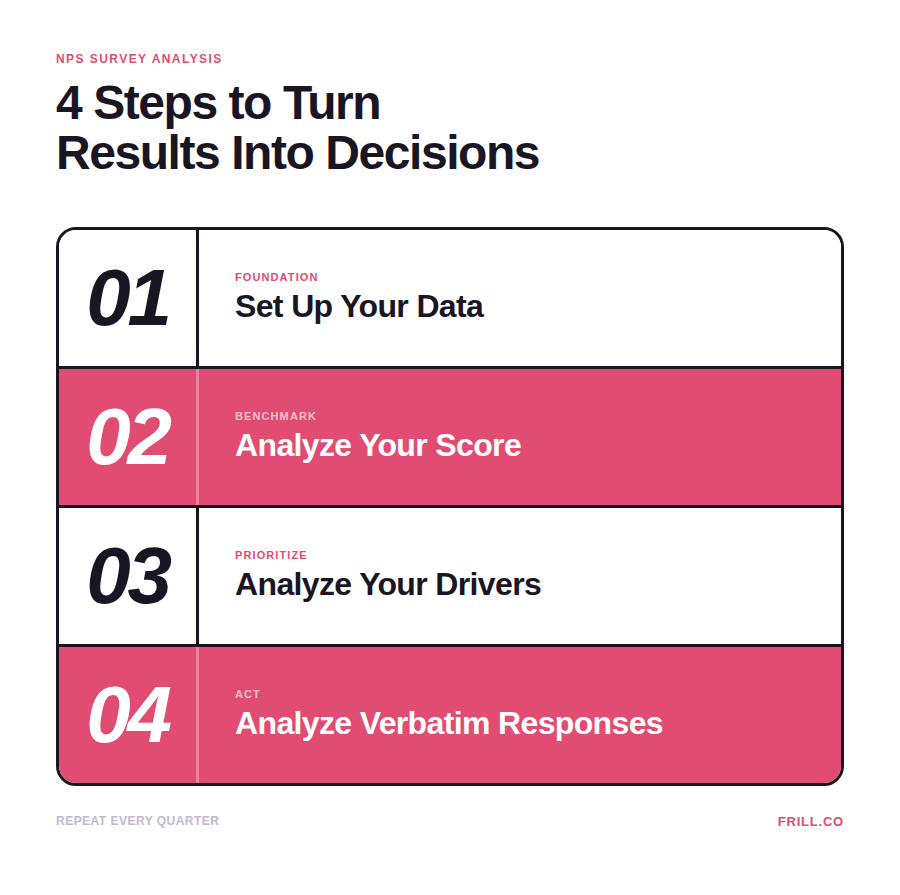
Step 1: Set your data up correctly before you analyze anything
Most guides skip this part and jump straight to analysis. That's a mistake, because the quality of your analysis is entirely determined by the data you collected in the first place.
Every NPS survey should capture three things:
The score itself (0–10 rating)
Driver questions (what influenced the score, pre-selected options)
Verbatim field (open-ended where customers can elaborate in their own words)
The verbatim field is technically optional, but skipping it means skipping the most useful data you'll collect.
Beyond those three, you need to tag each response with segmentation metadata at the time of the survey: user role, account tier, plan type, and time-in-product are the most useful. If you don't capture this upfront, slicing your data by segment later becomes nearly impossible. You can't retroactively know that a detractor was a power user on your highest-tier plan if you didn't record it when they responded.
Response rate matters more than most teams acknowledge. Bain & Company research suggests 40% is the threshold for a reliable, representative score, and most programs aren't close. Email NPS response rates have declined from 20–25% in 2019 to 10–15% in 2025. Channel makes a significant difference here: Delighted's data shows email averaging around 6%, web surveys around 8%, and mobile in-app surveys around 16%. The same survey delivered differently can more than double your response rate before you've changed a single word.
For SaaS teams, in-app NPS surveys consistently outperform email because they reach users inside the product at the moment of experience, when the feedback is freshest and the context is clearest.
A low response rate is itself a finding worth acting on. If customers aren't engaging with your survey, that disengagement is a signal, one that often precedes churn.
→ What to do next: Audit your current survey setup. If you're not capturing at least account and plan data alongside each response, fix that before your next send.
Step 2: Analyzing your NPS score
Once you have responses, the first question most teams ask is: "Is this a good score?" It's the right instinct, but the answer depends on how you're benchmarking.
Three ways to evaluate your score
Here are the most effective methods:
Absolute benchmarks give you a rough orientation. Above 0 is acceptable, 30+ is strong, 50+ is excellent, and 70+ is exceptional. Use these as a sanity check, not a target. They flatten meaningful differences across industries, company sizes, and customer types.
Industry-relative benchmarks get you closer to an honest comparison. A score of 35 in financial software and a score of 35 in consumer apps represent very different competitive positions. Compare against your sector before drawing conclusions.
Trend-based benchmarking is the most honest measure of all. A score of 42 that was 31 six months ago tells you far more than a static 55 with no trend line. Your own previous scores are your most reliable baseline, and well-run SaaS NPS programs typically maintain response rates of 20–40%, so if yours is falling below that, your trend line may not be statistically reliable yet.
Don't weight every response equally
A detractor on your largest enterprise account is not the same signal as a detractor on a free trial. Revenue-weighted scoring—where you factor in account size or ARR alongside the score—gives you a more accurate picture of actual business risk. It doesn't require a sophisticated platform; even a simple spreadsheet segmented by plan tier will surface the accounts that matter most.
One cadence note worth flagging: sending NPS more frequently than once every 30 days to the same user degrades data quality and drives fatigue. Programs that oversend see response rates fall below 10%, which makes trend analysis unreliable. Quarterly relationship NPS is the right default for most SaaS products.
→ What to do next: Plot your last three NPS scores on a timeline. If you don't have three data points yet, set a recurring cadence now. Qquarterly is the right starting point for most teams.
Step 3: Analyzing NPS drivers
Drivers are the most underused layer of NPS analysis. Most teams collect them, glance at the totals, and move on. The teams that get real value from drivers treat them differently.
Here's how it works: when a respondent selects multiple drivers, you assign proportional weight to each one. If someone picks three drivers, each carries 33% weight. If they pick two, each carries 50%. You then tally those weighted scores across your full response set, but critically, you do this separately for detractors and promoters. The goal isn't to know which drivers appear most often overall. It's important to know which drivers are disproportionately associated with low scores.
If 60% of your detractors select "confusing onboarding," that's a prioritization signal. It tells you where to focus before you've read a single verbatim comment.
The catch is that this only works if your driver options are specific enough to be useful. Vague options like "product quality" or "overall experience" produce data you can't act on. Specific options like "difficulty finding features" or "slow response from support" tell you exactly where to look. If your current driver list reads like a survey template, it probably is one, and it's worth redesigning before your next send.
When redesigning, think about the key moments in your product experience: onboarding, feature discovery, support, pricing. These map directly to the triggers that produce the most honest NPS responses. After onboarding completion, after first feature use, after a support interaction. Your driver options should reflect those same moments.
→ What to do next: If your driver options are generic, redesign them this cycle. Then run a quick weighted tally on your last 50 responses, even in a spreadsheet, to see which driver is most disproportionately associated with detractors.
Step 4: Analyzing NPS verbatim responses
Verbatim responses are the richest data in your NPS program and the most consistently ignored. The score tells you sentiment exists. The verbatim tells you what's actually causing it.
How to approach it depends on your volume
Under 100 responses: Read every comment. Tag each one manually using a simple taxonomy: onboarding, support, feature gaps, pricing, performance. A shared spreadsheet is genuinely enough at this stage. The goal is to find patterns, and at this volume, you can do that by eye.
100+ responses: Manual tagging stops being practical. Use a text analytics tool or AI-assisted tagging to surface themes at scale. Focus on topic and sentiment combinations rather than keyword frequency alone. A word appearing often means nothing if half the mentions are positive and half are negative.
Start with passives, not detractors
This is the insight that changed how I approach verbatim analysis. Detractors are vocal, but they're often already checked out. The friction that caused their score may be too far gone to fix quickly. Passives are a different story. Scores of 7 to 8 represent customers who are one good experience away from becoming promoters, and their comments tend to be more measured and specific than those of detractors. They'll tell you exactly what's holding them back, and it's usually something fixable.
Close the loop fast
Once verbatim themes surface a clear issue, follow up, especially with detractors. The data consistently shows that closing the loop within 48 hours produces better retention outcomes meaningfully. Detractors who flag an issue and hear nothing back are more likely to churn than customers who were never surveyed at all. Surveying without following up is worse than not asking.
For themes that need deeper investigation, the 5 Whys method is a useful structure for follow-up interviews. Start with the theme the verbatim surfaced, ask why it's happening, and keep asking until you reach the root cause. It usually takes about five levels to get there.
→ What to do next: Tag your last 30 verbatim responses manually into three to five buckets. Note which bucket has the highest volume from scores 7 to 8. That's your fastest-win prioritization area.
The most common NPS analysis mistakes (and how to avoid them)
Most NPS programs don't fail because of bad data. They fail because of what happens, or doesn't happen, after the data comes in. These are the mistakes we see most often.
Treating the score as a deliverable
Sharing the NPS score in a company meeting without the driver or verbatim context creates the illusion of insight. The number alone doesn't tell you what changed, why it changed, or what to do about it. A score without a "why" is just a talking point.
Surveying too infrequently to spot trends
Annual NPS surveys are nearly useless for product decisions. By the time a decline shows up in your yearly results, months of churn have already happened. For SaaS, quarterly relational NPS is the minimum, and you should be layering in transactional NPS after key moments like onboarding and feature adoption to catch issues before they compound.
Giving every response equal weight
A detractor on a $50k ARR account and a detractor on a free trial are not the same signal. Without revenue or account-tier data attached to each response, you're averaging meaningful risk together with noise and calling it analysis.
Ignoring non-responders
A 35% response rate means 65% of your customers didn't tell you anything. That silence is data. In B2B SaaS, non-response correlates with disengagement, and disengagement typically precedes churn. The customers you most need to hear from are often the ones not responding.
Closing the loop too slowly or not at all
NPS analysis without follow-up is a broken promise. Detractors who flag an issue and receive no response are more likely to churn than customers who were never surveyed at all. If you're not set up to act on responses within 48 hours, fix that before your next send.
Lightweight Tool Comparison for SaaS Teams (~200 words)
Before picking a tool, one thing worth flagging: in-app NPS consistently outperforms email on response rate. Email averages 6–8%, while in-app reaches 16% or higher. That makes ease of setup more consequential than it looks. A tool that takes weeks to integrate is a tool your team will deprioritize, which means your survey cadence slips and your trend line disappears.
Here's how the main options stack up for lean SaaS teams:
Frill: Best for teams that want feedback and NPS tied directly to a product roadmap. Verbatim tagging is manual but straightforward. Startup-friendly pricing.
Delighted: Best for simple, fast NPS sends with minimal setup. Basic verbatim analysis. Low-cost entry point.
Typeform: Best for custom survey flows. No native verbatim analysis, but pairs well with other tools. Freemium tier available.
CustomerGauge: Best for B2B revenue-weighted NPS at scale. Strong verbatim analysis. Enterprise pricing.
Dovetail: Best for teams doing deeper qualitative synthesis alongside NPS. AI-assisted analysis. Mid-market pricing.
The best tool is the one your team will actually act on. A simple Typeform connected to a Frill feedback board beats a sophisticated platform nobody checks.
FAQ
How do you analyze NPS verbatim responses?
Start by manually tagging comments into three to five themes: feature gaps, onboarding, support, pricing, performance. For larger volumes, use a text analytics tool to surface topic-sentiment combinations rather than just keyword frequency. Focus on passives first. Their verbatim tends to be more specific and more actionable than detractors, and it usually points directly to the friction keeping them from becoming promoters.
How often should you analyze NPS results?
At minimum, quarterly. For high-growth SaaS products, monthly is better. One score is a data point, three is a pattern, six is something you can act on with confidence. The goal is a trend line, not a snapshot.
What's a good NPS score for a SaaS product?
Context matters more than the number. A score of 30 trending up from 15 is healthier than a stagnant 50 with no momentum. Compare against your own previous scores before reaching for industry benchmarks. Your trajectory is a more honest signal than any external average.
What should you do after NPS analysis?
Close the loop with detractors within 48 hours. Share findings with your product team with driver and verbatim data attached, not just the score. Update your roadmap or feedback board to reflect recurring themes, and tell users when you've acted on their input. That last step is what turns a survey program into a trust-building habit.
What's a good NPS survey response rate?
Most SaaS email programs land between 10–15%. In-app surveys typically reach 16% or higher. The more important question is whether your rate is representative enough to trust. Below 40% is where reliability starts to slip, and a consistently low rate is worth treating as a product problem, not just a survey problem.
Send NPS surveys with Frill, which offers one central place for collecting feedback, prioritizing features, and announcing updates.