Learn how to prioritize customer feedback with a step-by-step guide and top frameworks, including Frill’s priority matrix.
Your Notion doc has 200 feature requests. Your Slack has three threads that all start with “can we just add.” Your support inbox has somehow become the product roadmap.
Sound familiar? Most SaaS teams don’t have a feedback problem. They have a prioritization problem.
I’ve worked with hundreds of SaaS teams on how they collect and act on feedback. One pattern comes up constantly. Teams that prioritize based on volume or urgency almost always build the wrong things first. They ship what’s loudest, not what matters most. Then they wonder why retention isn’t moving.
This guide gives you a way of thinking about feedback that actually works in practice. By the end, you’ll have a clear process for cutting through the noise and making product decisions you can defend.
Why most teams struggle to prioritize feedback
Most product teams are genuinely trying to listen to their customers. The problem isn’t effort. It’s the patterns that quietly distort every decision.
They mistake loudness for a signal
The customers who submit the most requests, escalate the most tickets, and show up in every QBR aren’t always your most representative users. They’re often your most demanding ones. Building for them feels responsive. In practice, it means optimizing for a small, vocal minority while the rest of your user base quietly churns.
Volume is not the same as importance. Frequency is not the same as fit.
They don’t have a north star to filter against
Without a clear product strategy, every piece of feedback looks equally valid. You end up with a backlog that reflects every conversation your team has ever had, rather than a deliberate view of where the product is going.
Feedback without strategy is just a wish list. The requests pile up. Nothing gets deprioritized. Everything feels urgent, which means nothing actually is.
They optimize for the short term
Quick wins are satisfying. A small feature ships, a customer says thank you, the team feels productive. But the high-impact work, the stuff that actually moves retention or unlocks a new segment, keeps getting pushed to next quarter.
Short-term prioritization creates a product that’s busy but not better.
The real fix
Better prioritization tools help. Better frameworks help too. But the underlying shift is simpler: you need a clear point of view on what your product is for. Once you have that, feedback stops being overwhelming. Most of it filters itself out.
A step-by-step framework for prioritizing customer feedback
Every team has a slightly different process, but the foundations are the same. Here’s the framework we recommend.
Step 1: Centralize before you categorize
Your users are constantly giving you feedback, whether you ask for it or not. Every support ticket, NPS response, and offhand comment in a sales call is a signal. The problem is that those signals are scattered across five different tools, three different inboxes, and a Slack channel nobody checks anymore.
In my experience, teams that keep feedback in multiple places end up building products for whoever was loudest in the last all-hands. Not the most representative users. Not the highest-value segment. Just whoever happened to be in the room.
Before you can prioritize anything, you need one place where all of it lives.
Where feedback actually comes from
It helps to take stock of your sources before you try to consolidate them:
Surveys: NPS, CSAT, and feature polls give you structured, comparable data over time
Support tickets: Bug reports and friction points from the people using your product every day
Social media: Unfiltered reactions on Twitter, LinkedIn, and Reddit
Customer interviews: The highest-signal input you can get, if you’re doing them regularly
Product analytics: Usage data that shows what people actually do, not just what they say they want
The tools worth using
You don’t need a complex stack. You need a hub and a few feeders.
Frill works as the central place where feedback lands, gets organized, and connects to your roadmap. Zendesk and Intercom are natural feeders, pulling in support-driven insights without any extra work from your team. Everything else is secondary.
Once it’s all in one place, you can actually start making sense of it.
Step 2: Filter against your product strategy
Centralizing feedback is the easy part. Now comes the harder question: which of it actually deserves your team’s time?
Not every request belongs on your roadmap. A great product isn’t built on everything users ask for. It’s built on what moves the business forward and serves the customers you’re trying to retain and grow.
Before a piece of feedback gets any further in your process, run it through three questions.
The three-question filter
Does it serve the customer segment we’re building for? A request from an enterprise account doesn’t automatically matter if you’re building for SMBs. Know who your product is for, and use that as your first filter.
Does it move a metric we care about? Retention, activation, expansion. If a feature doesn’t connect to one of those, it needs a very compelling case to make the cut.
Could we build it in a way that’s consistent with where the product is headed? Some requests are valid but point in the wrong direction. A feature that solves a real problem but pulls the product off-course isn’t worth building right now.
These questions won’t make every decision obvious. But they cut out a lot of noise fast.
One B2B SaaS team we worked with had over 40 feature requests sitting in their backlog with no clear way to compare them. When they ran everything through these three questions, they were down to 11 worth evaluating. The rest weren’t bad ideas. They just weren’t the right ideas for where the product was going.
Don’t make this a solo call
Feedback affects more than the product team. Engineering has a view on feasibility. Customer success knows which requests keep coming up in renewals. Marketing understands what resonates with the segment you’re trying to grow into. Getting those perspectives before something hits the roadmap saves a lot of rework later.
Step 3: Tag and organize so you can actually see patterns
Tagging feedback isn’t about keeping things tidy. It’s about making patterns visible that would otherwise stay hidden.
One bug report is an edge case. Fifteen reports tagged “onboarding friction” is a product problem worth prioritizing. You can’t see that pattern if everything lives in a freeform list with no structure.
The categories that matter
Keep your taxonomy simple. Four buckets cover most of what comes in:
Bugs: Anything breaking the experience or blocking core functionality
Feature requests: New capabilities users are asking for
Usability issues: Friction points that slow users down without being full bugs
Performance concerns: Speed, reliability, and responsiveness problems
The goal isn’t a perfect taxonomy. It’s consistency. Tags only surface patterns if your team applies them the same way every time.
Where Frill helps
Frill’s duplicate detection flags when incoming requests match something already on your board. This keeps your feedback clean and consolidates votes around the same idea rather than splitting them across five slightly different versions of the same request.
Combined with tagging, it means you spend less time managing the backlog and more time reading what it’s actually telling you.
“The teams that get the most out of their feedback aren’t necessarily collecting more of it. They’re just better at seeing what it’s telling them. Tagging feels like admin work until the day you notice that 30 different customers have described the same friction in 30 different ways. That’s the moment it pays off.” — Elliott Risby, Co-founder, Frill
Step 4: Apply a framework
Every prioritization framework works in theory. In practice, the right one depends on where your team is, how much data you have, and how your team makes decisions.
I’ve seen teams spend more time debating RICE scores than actually building anything. A framework should speed up decisions. When it becomes the meeting topic, it’s doing the opposite.
Here’s a honest take on which frameworks are worth using and when.
Value vs. Effort Matrix
This is the right starting point for most early-stage teams. It’s fast, visual, and doesn’t require data you probably don’t have yet. Plot requests by customer value on one axis and development effort on the other. High value, low effort rises to the top. Everything else finds its place.

It won’t give you a precise score. It will give you a shared view of what’s worth discussing.
RICE (Reach, Impact, Confidence, Effort)
RICE is powerful when you have real data to back up your scores. Reach, impact, confidence, and effort each get a number. The math produces a ranking.
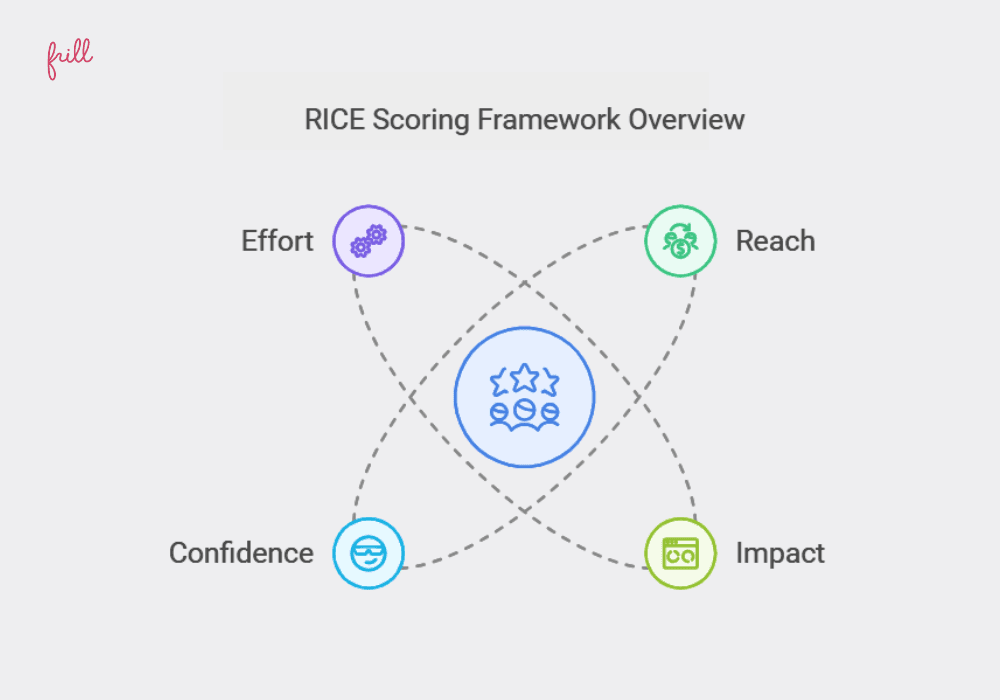
The problem is that early-stage teams often guess at “reach” and “confidence.” Guessing produces false precision. A RICE score that looks objective but was built on assumptions can be more misleading than a gut call. Use RICE when your data is solid enough to earn it.
Kano Model
The Kano Model is underused and worth understanding. It sorts features into three categories: must-haves that users expect, performance features that improve satisfaction linearly, and delighters that users didn’t know they wanted.
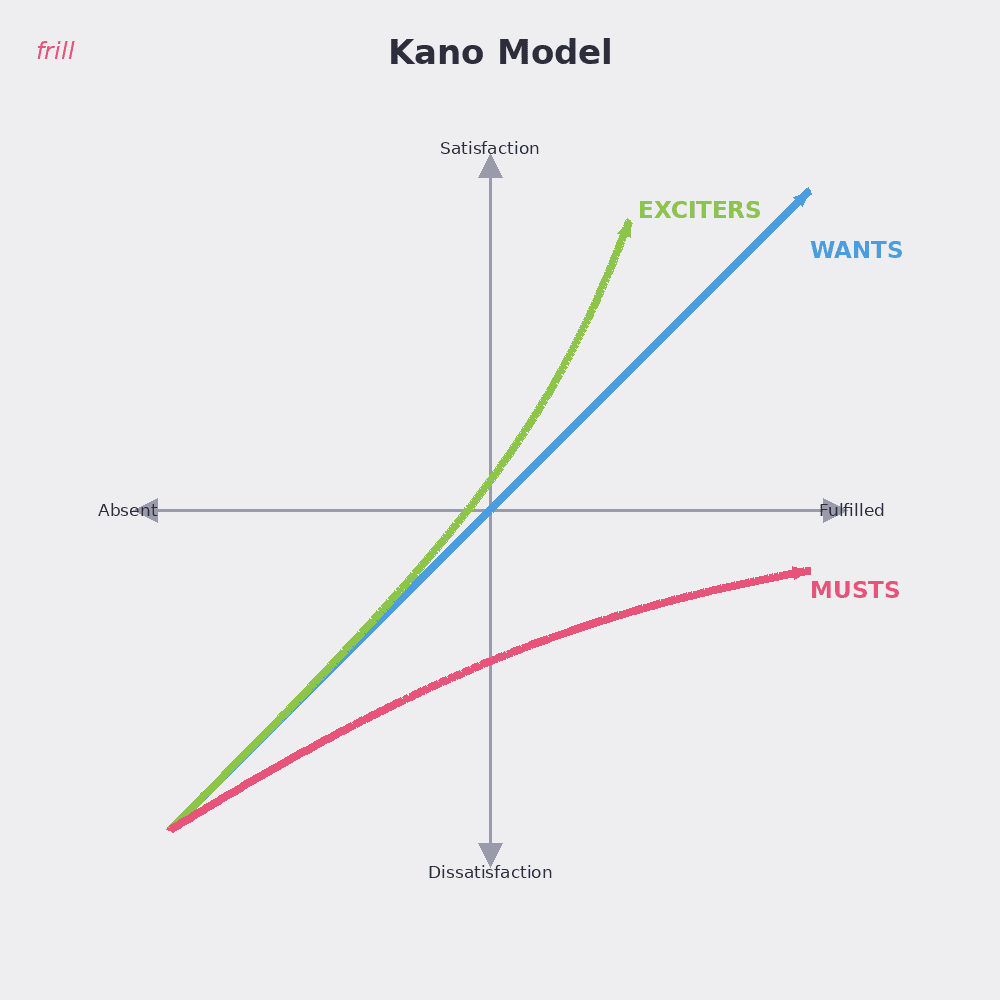
Its real value is in deciding what to cut. A feature that scores as a basic expectation isn’t a differentiator. Knowing that saves you from over-investing in table-stakes work when you should be building something that actually stands out.
Frill’s Priority Matrix
Frill’s Priority Matrix is a simplified take on benefit vs. effort. It’s built for product teams who want a visual, actionable view of their backlog without a complex scoring system.
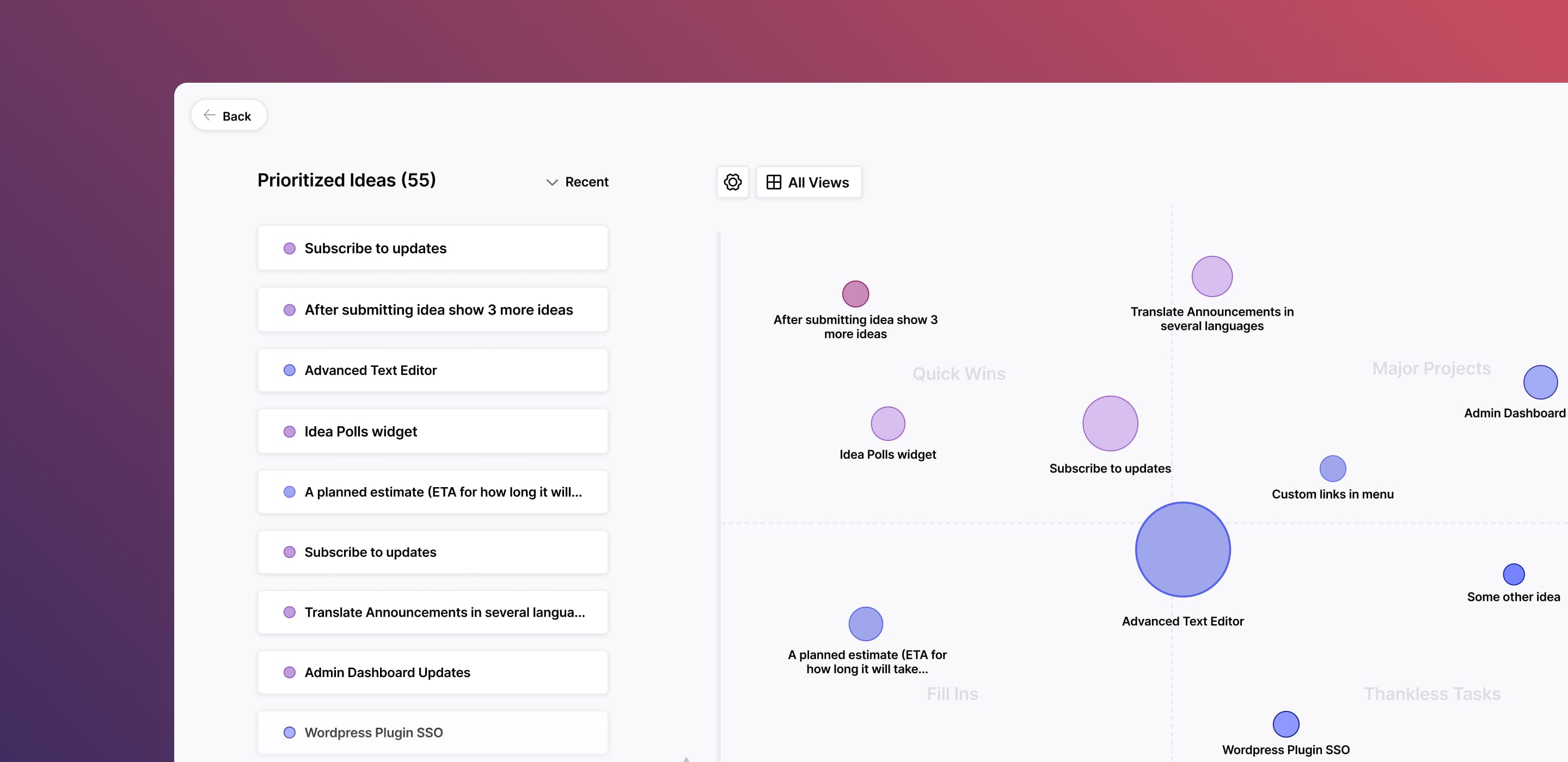
It works especially well when you’re reviewing a large set of requests with your team and need to reach alignment quickly. The visual format makes it easier to spot outliers and start the right conversations.
Just remember that no framework makes decisions for you. They structure the conversation and make tradeoffs visible. Pick one that fits where your team is right now. Revisit it when your product and your data have matured.
Step 5: Build a workflow that closes the feedback loop
Prioritization without execution is just a list. The goal is a workflow where feedback moves cleanly from insight to shipped feature, and where customers actually find out when something they asked for gets built.
The process that holds it together
A reliable feedback workflow has five stages
Capture and categorize incoming feedback in one place
Prioritize using a consistent framework
Convert top items into product tasks with clear specs
Assign ownership and deadlines so nothing stalls
Communicate updates back to the customers who asked
Most teams have a version of steps one through four. Step five is where things fall apart. And it’s the most important one.
Why closing the loop changes everything
Research from Harvard Business Review found that simply asking for feedback and following up on it makes customers measurably less likely to churn. The act of being heard matters as much as the outcome.
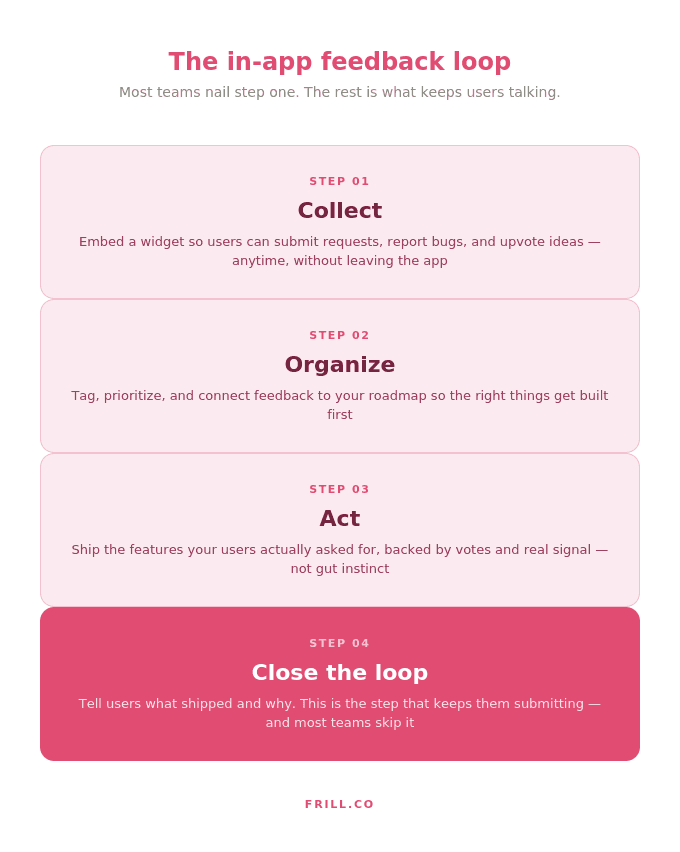
Most teams treat the feedback loop as a one-way street. Customers submit ideas, the product team reviews them, features get built or they don’t. Users never hear either way. Over time, they stop submitting. They assume nobody is reading.
Good idea tracking fixes this. When customers can see the status of their requests move from “under consideration” to “in development” to “shipped,” the dynamic shifts. They feel invested. They keep engaging.
What it looks like in practice
One SaaS team we worked with started linking their Frill changelog entries back to the original idea on their feedback board. Within a month, feature request submissions had doubled. Users could finally see the connection between what they asked for and what got built. That visibility alone was enough to change behavior.
Frill’s Announcements feature is built for exactly this. You can publish a changelog entry, tie it to the original idea, and notify everyone who voted on it automatically. No manual follow-up required.
“We noticed early on that the teams with the highest submission rates weren’t the ones with the most users. They were the ones who visibly acted on feedback. When customers see their idea move from ‘submitted’ to ‘shipped,’ they become invested in the product in a way that no onboarding flow can manufacture.” — Elliott Risby, Co-founder, Frill
The tools that support it
If you’re evaluating how to build this into your stack, our roundup of product feedback software tools covers the options worth considering and how they compare.
The right tool makes the workflow sustainable. Without it, closing the loop depends on someone remembering to do it manually. That works until it doesn’t.
Big mistakes that are worth avoiding if you can
Most prioritization problems aren’t framework problems. They’re judgment problems. Here are the three I see most often.
Prioritizing the loudest users. The customers who submit the most requests aren’t always your most representative ones. Building for them feels responsive. It usually isn’t.
Letting internal bias drive decisions. Recency bias, confirmation bias, founder preference. Every team has them. A consistent scoring framework is the best defense against all three.
Overloading the roadmap with low-impact requests. A bloated backlog isn’t a sign of good listening. It’s a sign that nothing is being filtered. Your roadmap should be a strategic tool, not a dumping ground.
The common thread: all three mistakes are easier to avoid when you have a clear product strategy to filter against. Without that north star, every request looks equally valid.
When to say no to customers (without losing them completely)
Saying no to a feature request is one of the most important skills a product team can develop. Done badly, it damages trust. Done well, it often strengthens it.
Here’s the framework I use:
Acknowledge the specific request, not just the sentiment behind it.
Explain what building it would actually cost or what it conflicts with in the product strategy.
Point to something related that already exists or is coming, if anything genuinely fits.
Tell them where to submit future ideas so the conversation stays open.
The key is being honest about the why. “It’s not on the roadmap” is a non-answer. “It would pull us away from the core workflow we’re building for” is a real one. Customers can accept a no. They have a harder time accepting a brush-off.
“Saying no well is genuinely one of the hardest things in product. What I’ve found is that customers rarely need you to say yes. They need to feel like you actually understood what they were asking for and gave it real consideration. A specific, honest no beats a vague maybe every time.” — Elliott Risby, Co-founder, Frill
The best software tools for prioritizing customer feedback
Before recommending tools to teams, I usually ask three things: Does it combine collection and prioritization? Does it close the loop with customers? Will the team actually use it?
Most tools pass one or two of those tests. Few pass all three.
1. Productboard
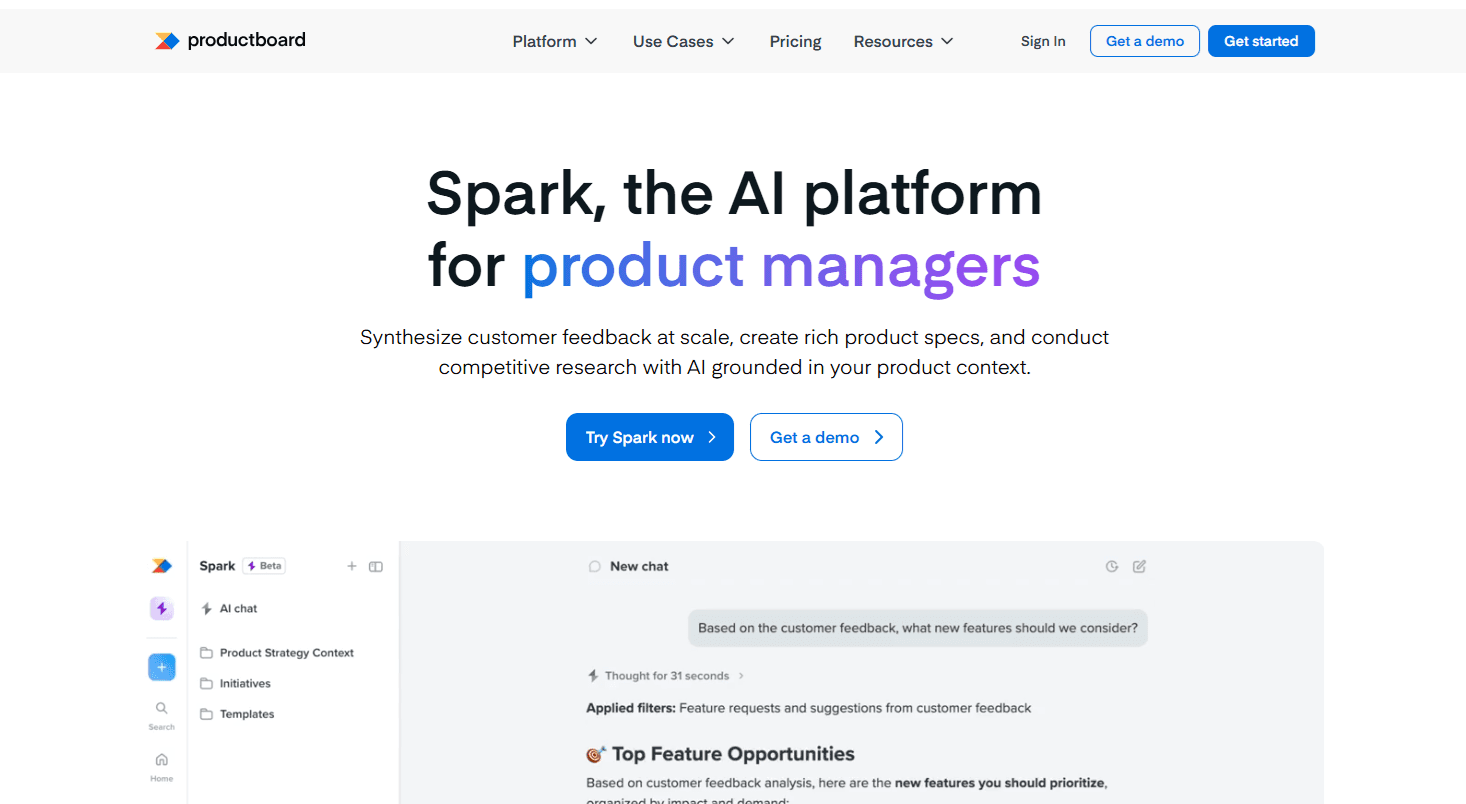
Productboard is a solid choice for larger product teams who need structured workflows and cross-functional collaboration. It centralizes feedback from multiple sources and offers feature scoring and roadmap tools with strong integration support.
The tradeoff is complexity. It takes meaningful setup to get value out of it, and the pricing reflects an enterprise audience. For smaller SaaS teams, the feature set can feel like more than you need.
Key features: feedback repository, feature scoring, custom roadmaps, workflow automation, Jira and Zendesk integrations.
2. Frill
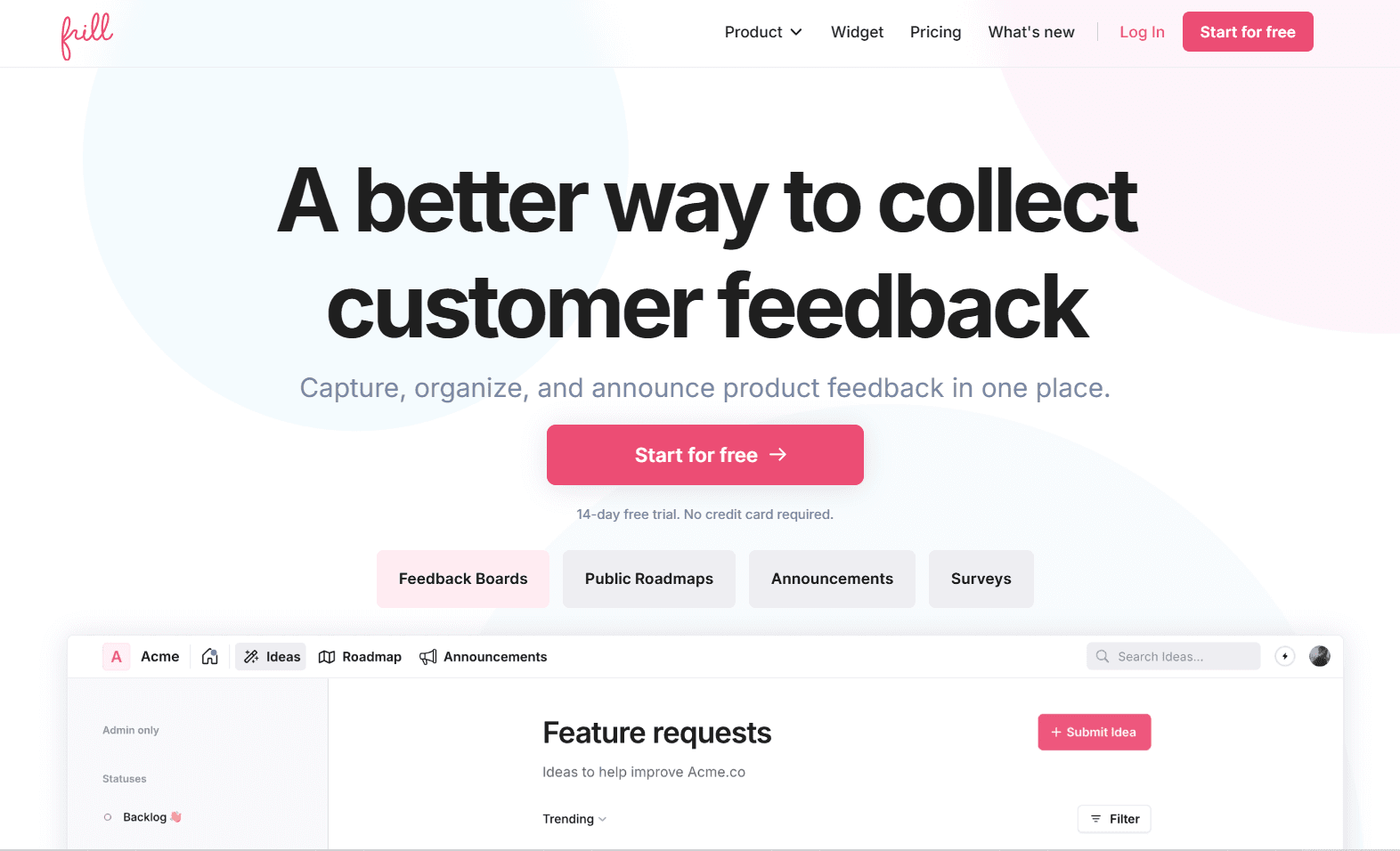
Frill is built specifically for SaaS teams who want feedback collection, prioritization, and customer communication in one place. The feedback board lets users submit and vote on ideas. The Priority Matrix helps your team evaluate what to build next. The Announcements feature closes the loop when something ships.
What sets it apart is that customers stay in the same system throughout. They submit an idea, watch it move through the roadmap, and get notified when it goes live. That visibility is what turns passive feedback into an engaged product community.
Key features: feature request boards, customizable Priority Matrix, roadmap management, in-app widgets, public and private voting, Slack and Jira integrations, and unlimited announcements.
3. Canny
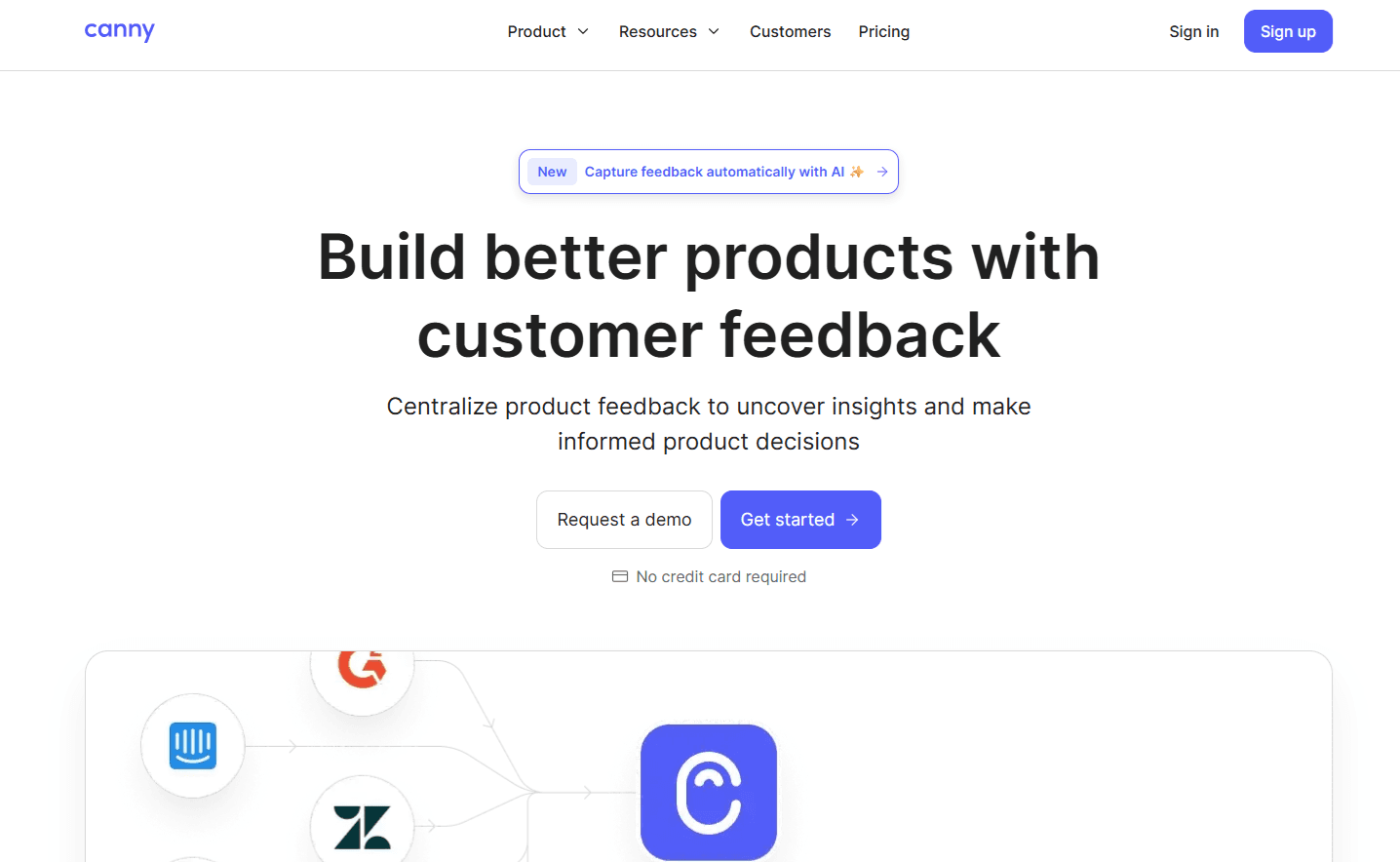
Canny focuses on feature request tracking with a clean, simple interface. It handles public voting boards well and gives customers visibility into request status. It’s a reasonable option if your primary need is capturing and displaying community demand.
Where it falls short is depth. The prioritization tooling is limited compared to Frill, and the loop-closing features are more basic. It works best for teams that already have a separate roadmap tool and just need a voting layer on top.
Key features: public and private feedback boards, upvoting, impact scoring, roadmap visualization, Intercom and GitHub integrations.
Start building a feedback habit
The teams that build products users love aren’t the ones with the best frameworks. They’re the ones that have built a habit of listening, filtering, and communicating. The frameworks just make that habit scalable.
Ready to automatically collect and prioritize feedback in one place? Learn more about Frill.

Dayana Mayfield
Dayana Mayfield is a B2B SaaS copywriter who believes in the power of content marketing and a good smoothie. She lives in Northern California.